I understand your problem now more clearly after seeing your blocks slowly one by one.
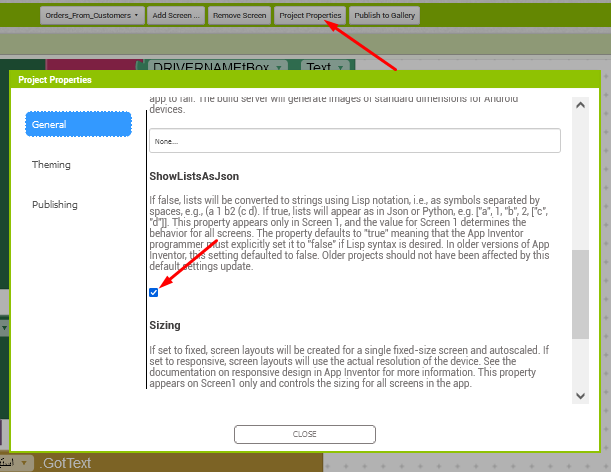
- Enable the ShowlistAsjson from teh project propertise
- Since we are sending col B to col K data only to gsheet to find the matching data to be deleted, i am modifying the script code to look in from Col B to col K then delete it. Here is the revised code. Now paste these code , deploy it, take teh script url, change the project settings, paste teh url and try to delete.
function deleteRow(dataArray, sheet) {
    var values = sheet.getDataRange().getValues();
    var toDelete = dataArray[0]; // Extract the first (and in this case only) row for matching

    // Create a slice of 'toDelete' from column B (index 1) to column K (index 10)
    var toDeleteSlice = toDelete.slice(1, 11); // This gets elements from index 1 to 10 (B to K)

    for (var i = values.length - 1; i >= 0; i--) {
        var currentRow = values[i];

        // Create a slice of 'currentRow' from column B (index 1) to column K (index 10)
        var currentRowSlice = currentRow.slice(1, 11); // This gets elements from index 1 to 10 (B to K)

        // Compare only the specific slices from column B to column K
        if (currentRowSlice.length === toDeleteSlice.length && currentRowSlice.every((cell, index) => cell === toDeleteSlice[index])) {
            sheet.deleteRow(i + 1); // Delete the matched row, accounting for 1-indexed rows
            return ContentService.createTextOutput('Row deleted successfully.');
        }
    }
    return ContentService.createTextOutput('No matching row found.');
}
And in blocks side make adjustment like this

If you adjust all the above then i am sure it will work