Not sure why are not able to display the html output ?
I have prepared a simple demo project, based upon your spreadsheet:
demoGviz.aia (3.7 KB)
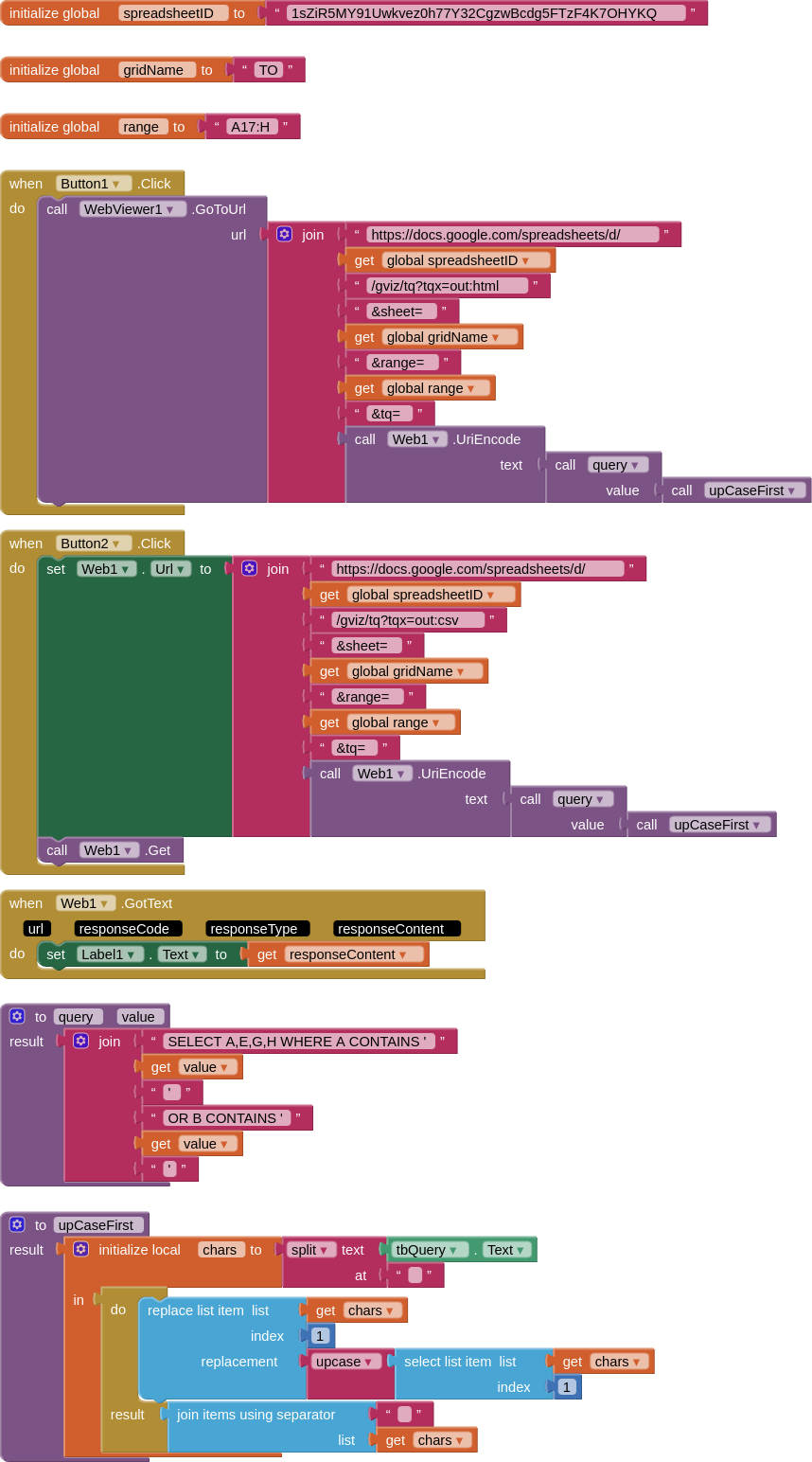
This will upcase the first letter typed in the textbox (e.g. rem > Rem)
I have edited the query to test for the search text in columns A&B
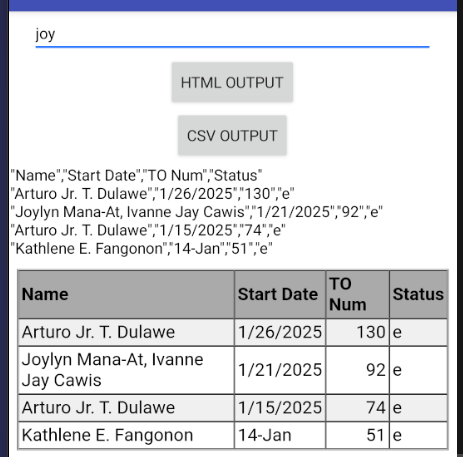
Button HTML OUTPUT will show the results in the webviewer
Button CSV OUTPUT will show the results in the label
The search term joy shows the query working on A&B.
[ADDENDUM #1]
If you like to view the data as an html table (from gviz) but also need to return all the table values as data, you can run some javascript on the webpage after it has loaded:
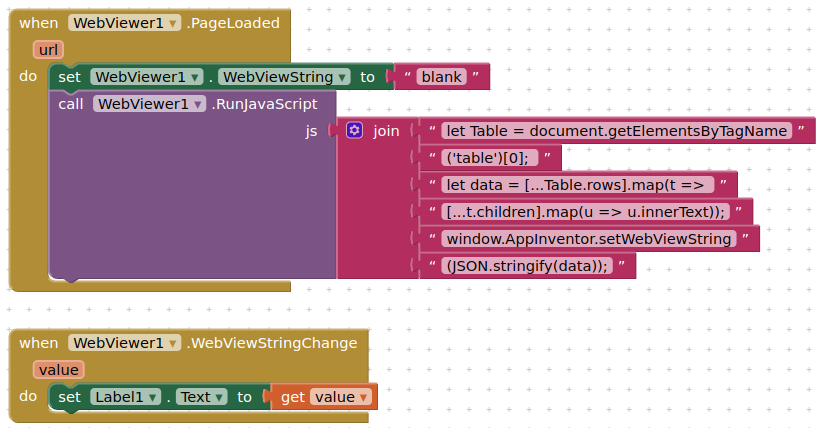
js as text:
let oTable = document.getElementsByTagName('table')[0];
let data = [...oTable.rows].map(t => [...t.children].map(u => u.innerText))
window.AppInventor.setWebViewString(JSON.stringify(data));
This returns a stringified JSON array, which you can convert to an AI2 list using the Web component's JsonTextDecode block
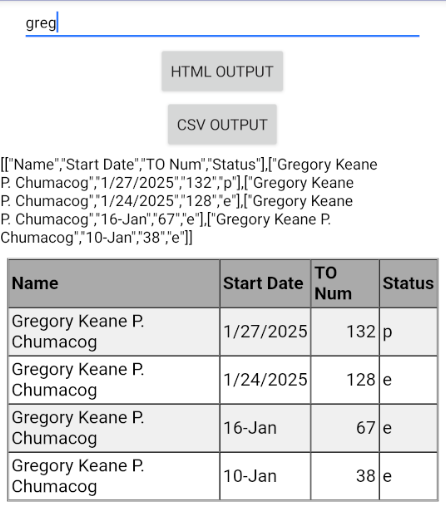
Note that all data is treated as strings...
You could also run some javascript to beautify your table: colours, fonts, corners, column widths, overflow etc.