Hello im wondering how do i fix my code so blobs work (using beta)
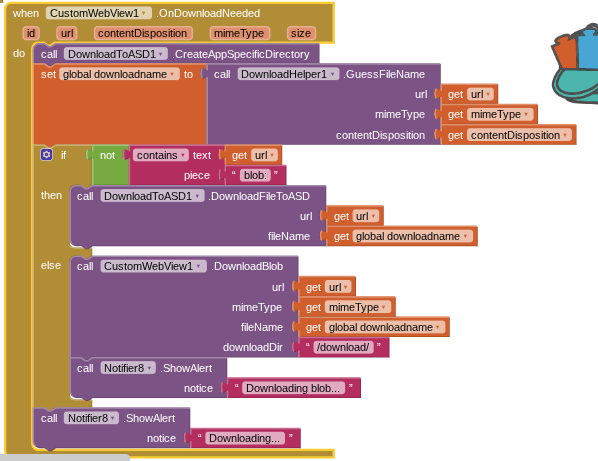
Is there something im doing wrong because downloads only work on my test website at "https://redoweb.rf.gd/blobtest.html"
Also happy 1000 replies
Hello im wondering how do i fix my code so blobs work (using beta)
Check this carefully.
Tried that but it doesent work only from my website. Help?
and i cant download aix can please send file once again because its showing image instead of a .aix file
see here to download the aix for version 12
Can you clarify whether it works on your website or not?
If not then please note that this is still an experimental feature.
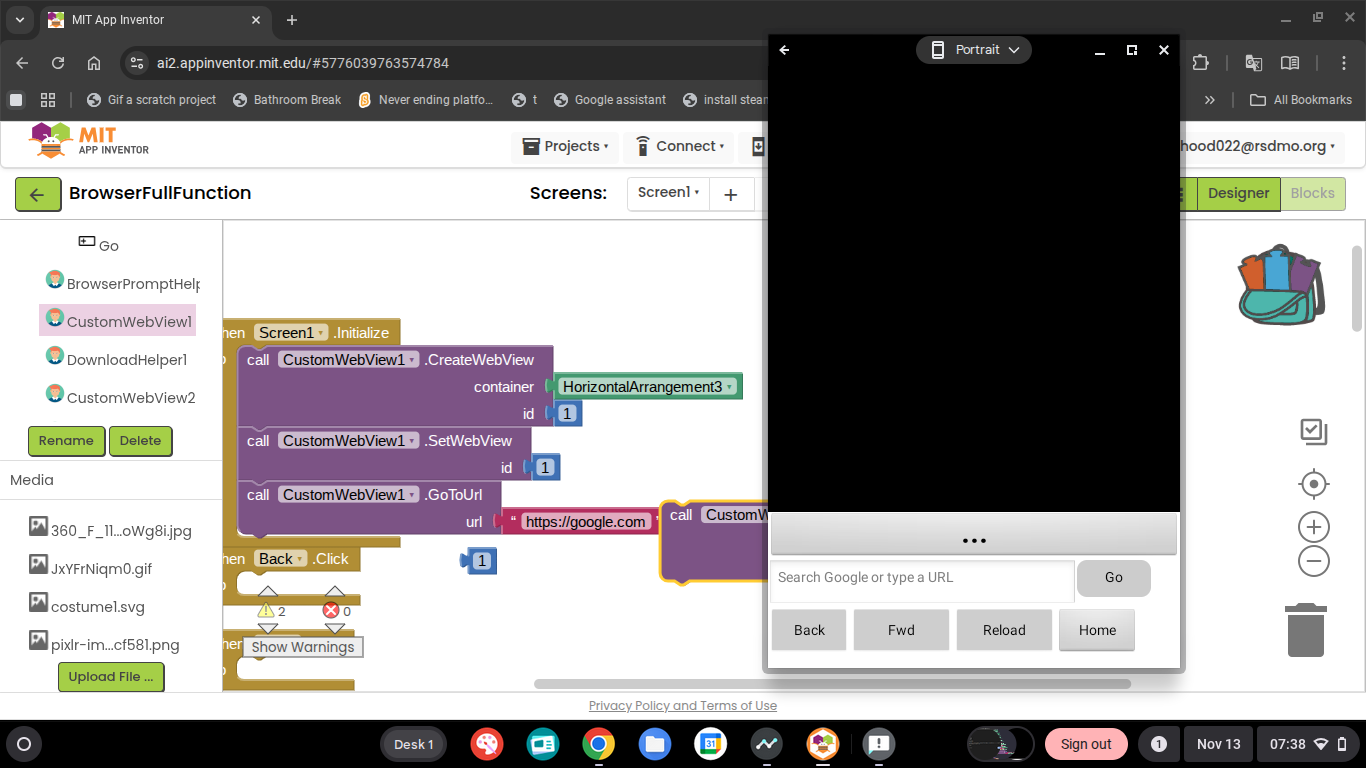
Hey, I am only getting a black screen in the vertical arrangement I have loaded when trying to load https://google.com and am only getting a plain black screen. Testing in MIT AI2 Companion, on
Google ChromeOS, Version 141.0.7390.126. I am on an Intel(R) Celeron(R) N4500 @ 1.10GHz (2 threads, 2.800GHz, 64-bit).
I am running the Companion on Google ChromeOS's Android Implementation.
It looks like you forgot to use the SetWebview block?
See this example CustomWebView : An extended form of Web Viewer - #38 by dora_paz
Taifun
I have also tried using a Vertical Arrangement.
It is also probably good to know that I am using the Beta Version because it was provided to me, because the latest at the time was blocked.
ohhh! thank you very much had lost all hopes and was rebuilding in java
HEY yo IS THIS A Chromium based extensionn (CEF)
webveiw extra and custom web veiw what is the difference
Have a look at how each extension is applied and used.
Read all the documentation for each.
You will get your answer.
Please don't use caps like that!
I actually got startled after reading that message
Using caps is like shouting, which the community does not like 
How to trigger file picker of the html. i tried with evaluate js document.getElementById('fileInput').click(); but it not working
You can search in community like this:
https://community.appinventor.mit.edu/search?expanded=true&q=Customwebview%20file%20picker
Or in this topic as well.
https://community.appinventor.mit.edu/search?expanded=true&q=file%20picker%20topic%3A9934
I'm using the custom web viewer extension and I want a way to save the page as a PDF.
perhaps
for one and lots of others if you search the Forum and Internet using
App Inventor save custom web extension ; Image to PDF etc.