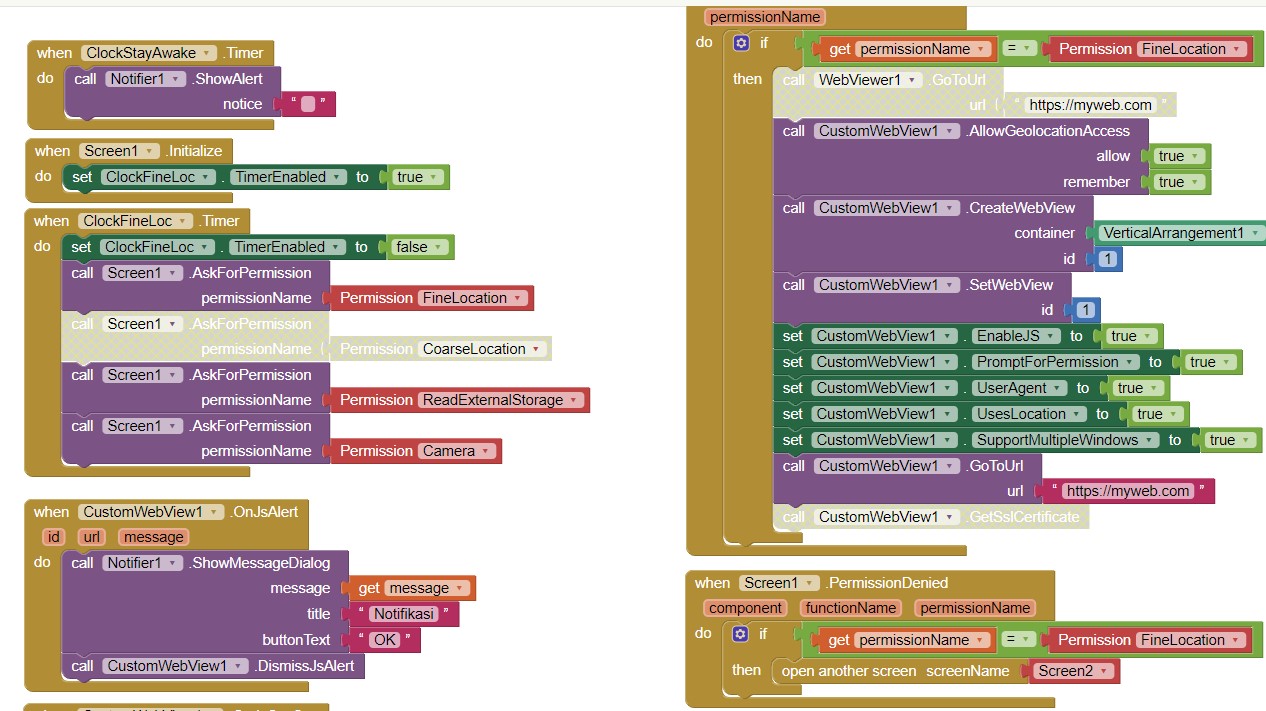
V12 is working if I remove the BrowserPromptHelper however i can not start the camera because it denies android.webkit.resourse.VIDEO_CAPTURE . Camera permission is granted tho I can see it in the app settings.
Show blocks.
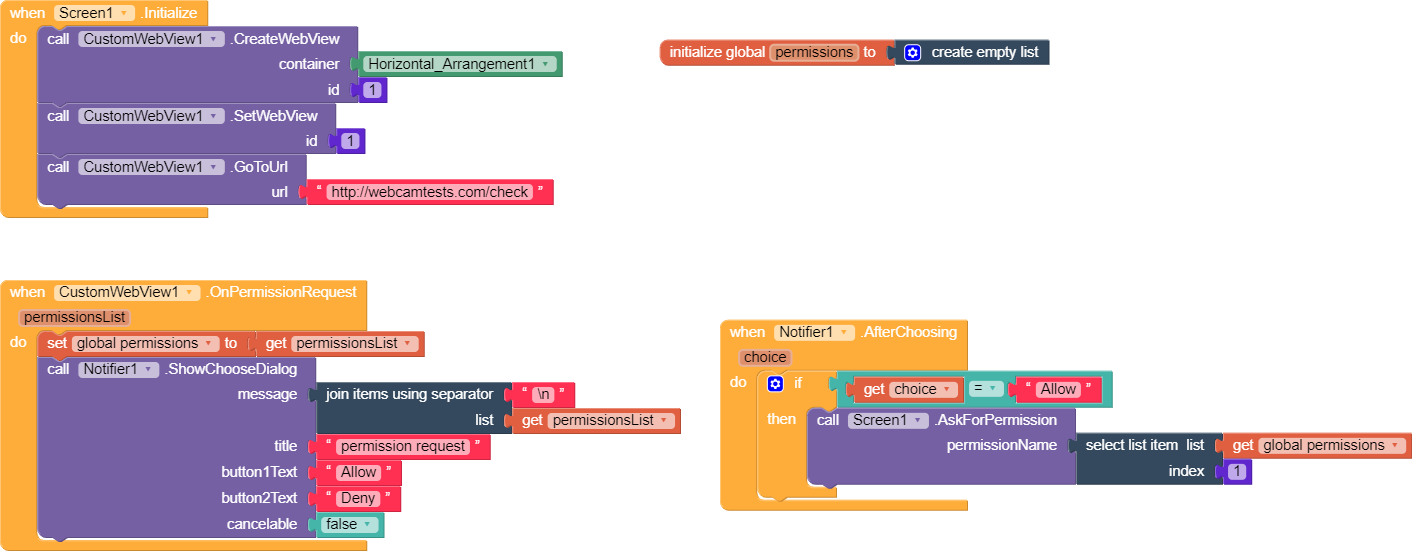
Where are the blocks for Permission Granted event?
I don't have that. Is that necessary?
In the permission denied even it says permission Name android.webkit.resourse.VIDEO_CAPTURE
Check this guide:
1 Like
It works. Thank you
Hi guys, I tried deeplink but it didn't work, I want to know how to use Activity Starter to open external links, can someone give me an example?I tried, but it opened directly in the browser and I couldn't even go back to my own browser

Show your blocks, in English.
1 Like
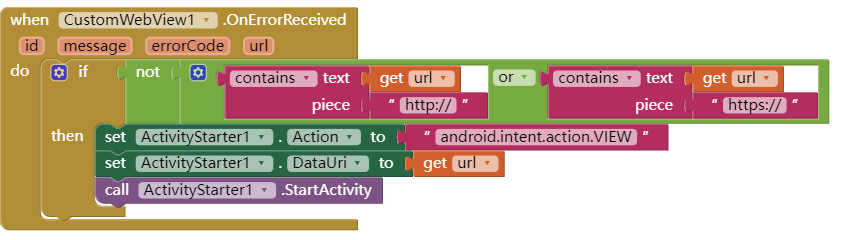
Is this how DeepLink works? 
It's Chinese, so it might be a little difficult to understand
Basically, the target app opens, but it directly replaces my app, and I need to log out of the desktop and open it again to get back to my own app. I originally wanted it to be the same as opening external apps in Chrome
The original one with the search box on it was my own app, and the black one at the back was opened with deeplink
Some Intent flags might be required to open app externally.
To use DeepLink feature in CustomWebView, set DeepLink property to true after creating webview or at screen initialize.
I'm sure Deeplinks is set to true, but it still ERR_UNKNOWN_URL_SCHEME
If url scheme is known then register it with RegisterDeepLink method and let CustomWebView handle it. Though you will see same behavior there as well.
1 Like
Sorry, I just found out about this block. I'll give it a try. Thanks
hi, I've been looking for documentation on how to handle access for "navigator.geolocation.getCurrentPosition" but couldn't find it.
Please help, what's wrong with my block, so that the geo location remains unreadable and produces a blank response, even though I have obtained fine location permission when the application is opened.