You should show your relevant blocks (convert to English, if not already, to help others help you)
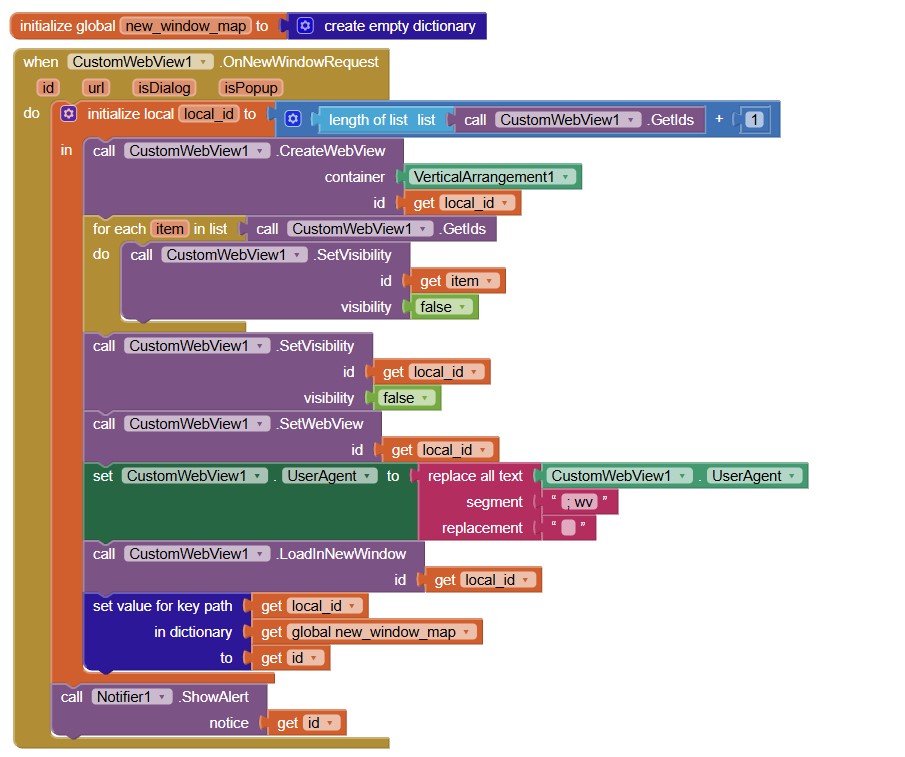
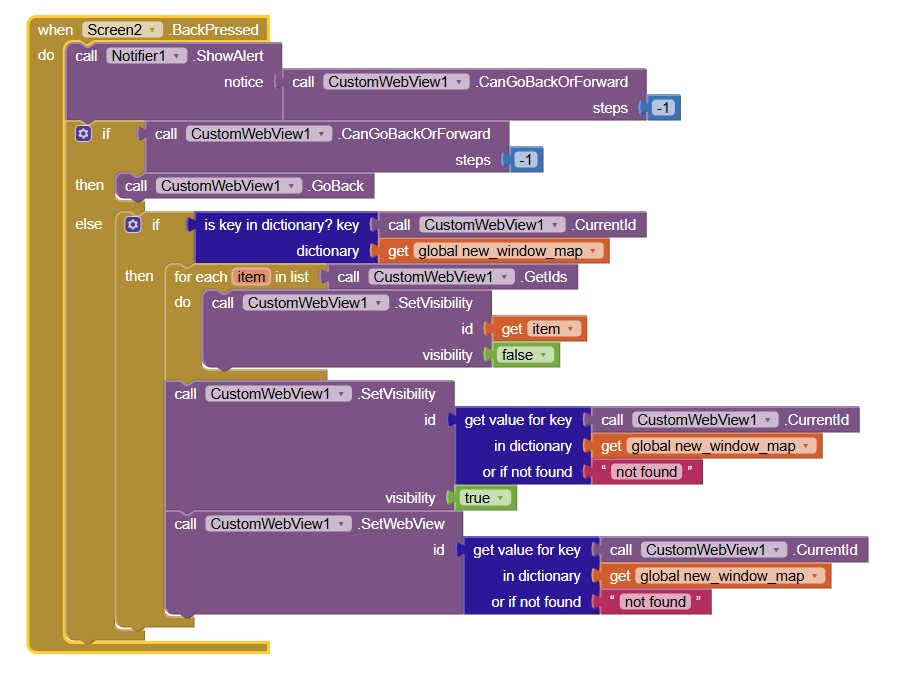
You are using set value for key path block, which is nowhere used in the snippet.
It is easier to double check blocks by carefully examining the blocks, if a snippet is not working for you.
Hello Developers,
I am trying to use custom web view but getting the error that the app can't be parsed when I tried to install the apk.
Its only happening when I upload the custom web view extension but when I delete it, the app is installing.
I am using custom webview v12, and android version 12 as well.
Where could the problem be?
Maybe try using the beta version. (Download from beta branch)
Hello Developers,
Today, I posted this, however, I really don't know how to go over this and have been trying it the whole day.
I really want to use custom web view in my app.
Unfortunately, When I upload custom web view and drag it to my app, the apk will build but returns a parsing error when I try to install.
When I delete the custom web view from my app, it will be installed.
I am using Andoid version 12, custom web view version 12,
@vknow360 suggested trying beta version, could someone provide me with link to beta version?
Attached below is a sample aia file which can't be installed.
Webview.aia (76.5 KB)
Here.
Your Webview.aia is corrupt - no extension showing in the palette, even though it shows in the Designer.
I tested an empty project with version 12 of CustomWebView, that compiled, installed and open OK.
I think I had downloaded a broken web customwebview.aix file, The one in the link provided above is now working, thanks a lot for the help reindered.
Attached below is the blocked for what I have done, however, I have noticed that: There is always a pop up message whenever I open the app that says allows the app to record audio, also whenever I try to go live on the website, the app is not acessing the camera, the screen is always dark, lastly, the app can not record audio.
What I want the app to do:
record audio,
allows access to camera for livescreaming
allows file uploads, file upload is working.
ask and allow for location access
thanks
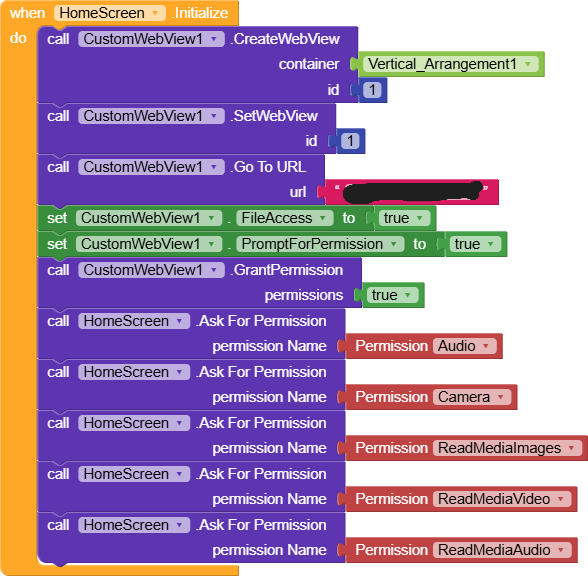


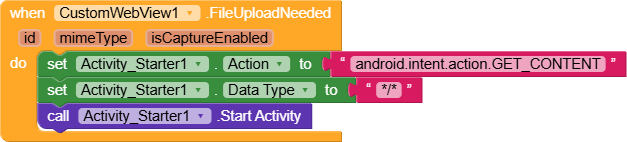
You have more work to do to get camera and audio working (this should be made easier in the next release of AppInventor)
Is it possible to create an web view app that directs users to cached content if data connection isn't available and reload if data is restored?
If it is possible, how do I go over it.
I am using custom web view
Hello Developers,
How do I set up network error reporting in custom web view without showing the website url?
Sometimes, users data is on but maynot be having active data plan, in such cases, if they try to access the app, it should report the error without showing website url.
Thanks..
Theoretically setting cache mode to 1 is enough to do the job, but if it does not work then you only one option then. Concept of offline pages. Let user decide which website to cache and then save using SaveArchive method.
Whenever user visits same site again and if internet is not available or any error occurs (there is ErrorOccurred event in CustomWebView) then check if cache of site is available or not and proceed accordingly.
Thanks, let me try
Hello Developers,
I would like to enable the website to return a message on no data connection, when user is data is on but no active data bundle.
Something like, you are offline, check your data connection.
Also it seems like the custom web view extension am using is missing the following blocks:
call CustomWebView1.Initialize
call CustomWebView1.LoadUrl
when CustomWebView1.OnErrorOccurred
Is there specific version of custom web view with the above blocks?
How do I go over this?
Thanks.
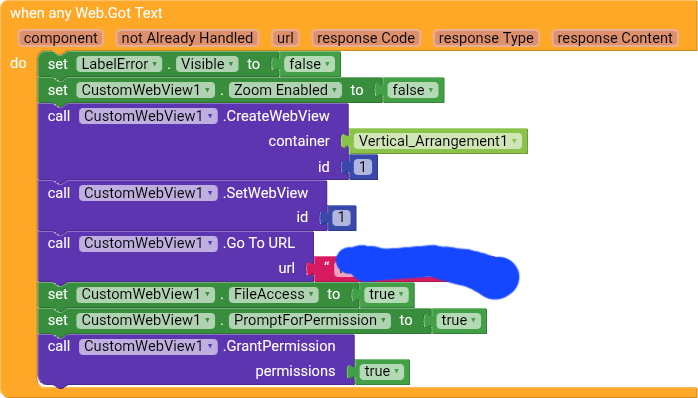
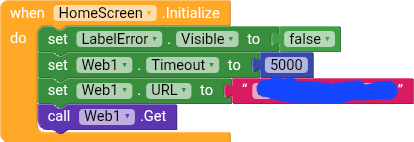
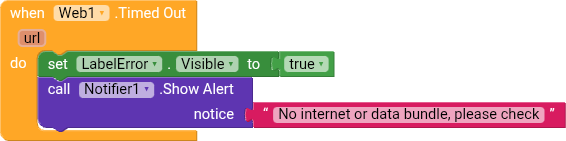
Please in future post in the correct topic (final warning). Given you are using Kodular you would normally be being directed back to the Kodular community, and have your question closed off, but given your enquiry is about using CustomWebView, we are allowing it for now...
Then I need to take sometimes here and learn to post in the correct topic.
Thanks
To suggest an answer to your query, you could create a bespoke html page (upload to your assets / media folder) to load if the called web page timed out, which could give users advice on what happened and what to do next.
If your question is about CustomWebView, then find the CustomWebView topic (this topic) and post a reply. No need to keep creating new topics and make work for others to tidy up your mess.