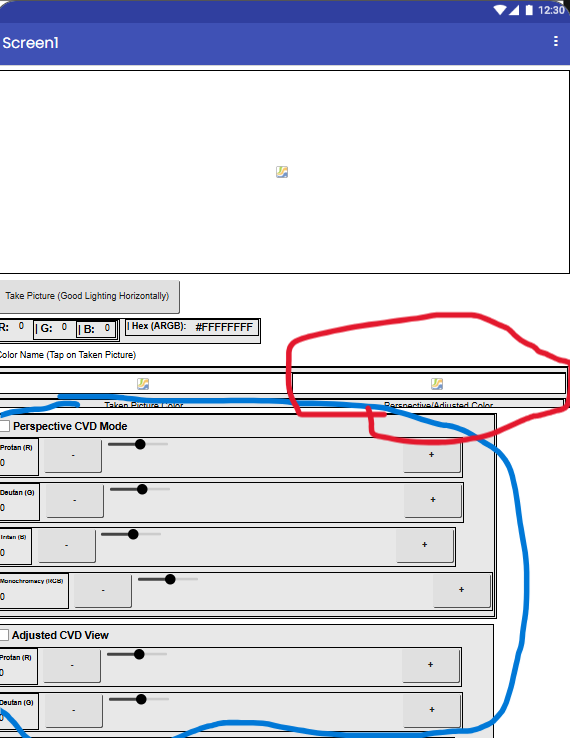
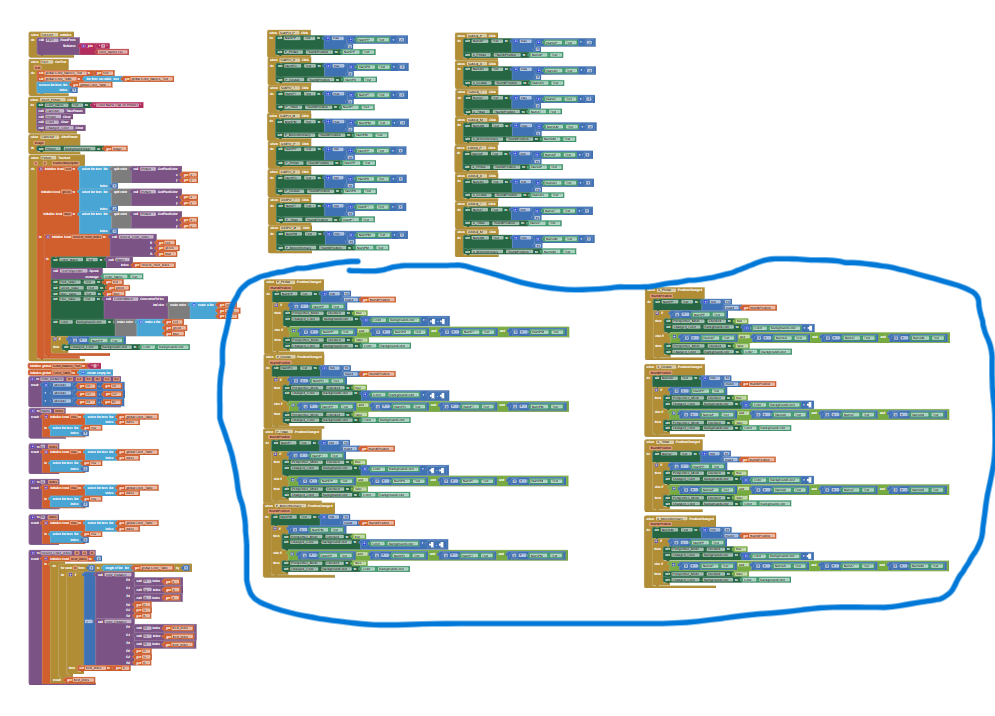
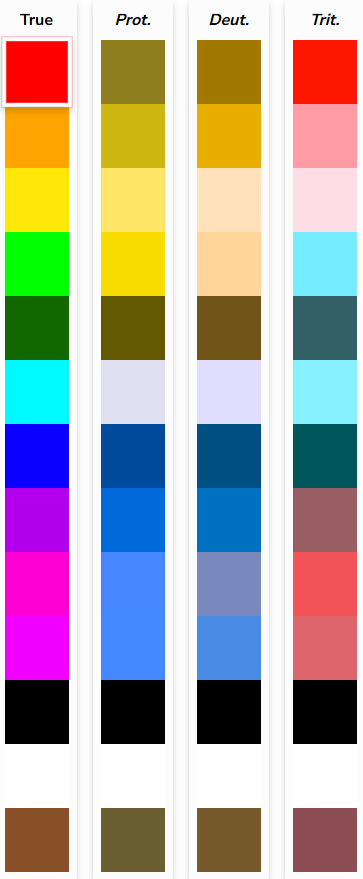
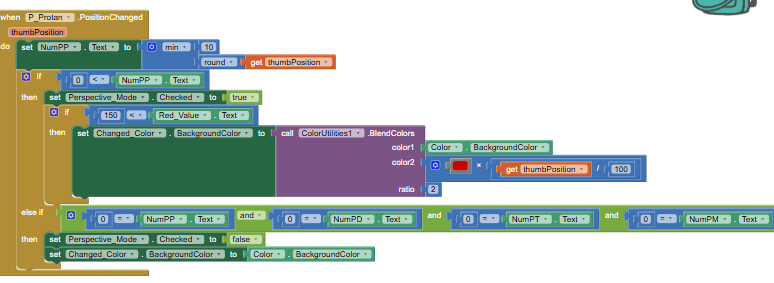
I created a project to identify colors by their RGB & HEX values, names, and text-to-speech an image taken based on the pixel tapped on. However, my main concern is the colors that can be modified for people who are colorblind. The image outputs are so that people who want to see how people with colorblindness see, and people who do have it to see color.
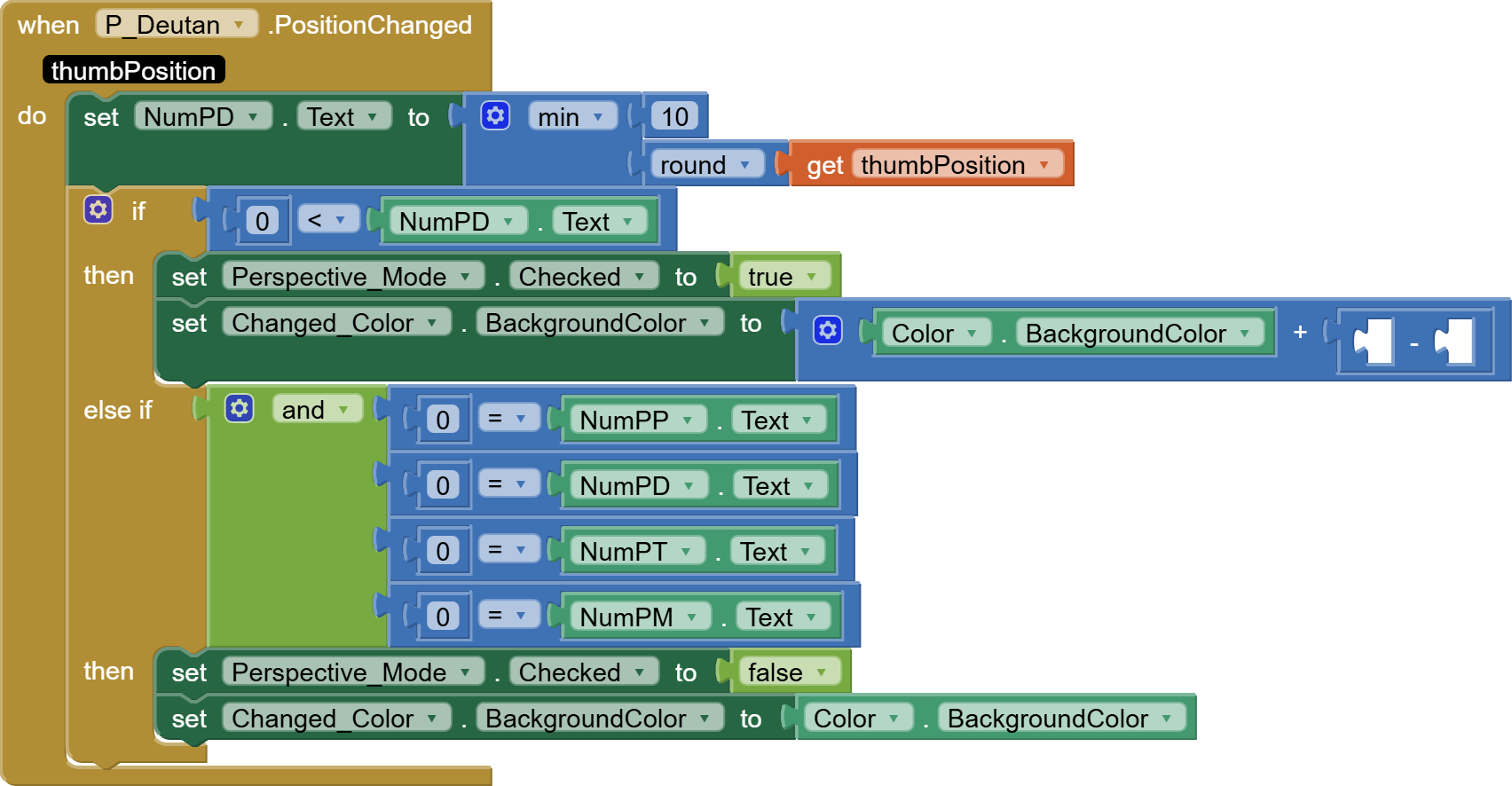
Your color modification code is wrong. You can't add numbers to colors to change them.
You have to break down the 32 bit color codes into 4 8 bit color component values 0-255, add to the color component values and bring them back into the range 0-255, then assemble the 4 values back into a 32 bit color code.
This app does not look ready for App Showcase yet.
I'm not sure what you are attempting to do in this app.
I'm unsure what you mean by "perspective". I am used to seeing that describe how things far away look smaller in pictures. You might need to expand your labels to instead mention "How it would look from the point of view of ..." ?
I put "perspective mode" as every colorblind has their own severity and sometimes a mix of colorblindness. Changing the picture would be too much so I'm wondering to just change the color. The empty spots are what color theory is confusing me, because of breaking it down?
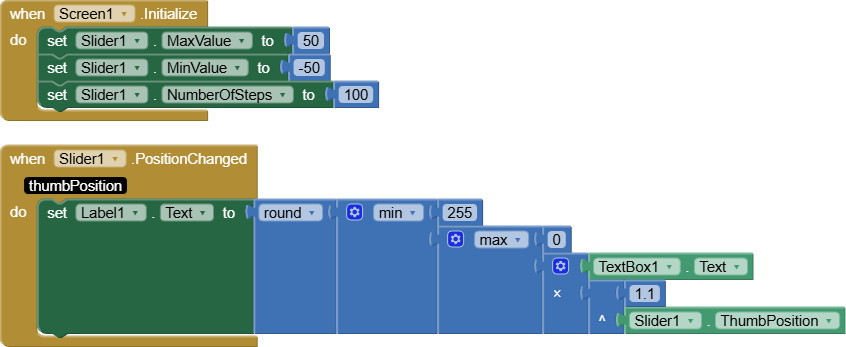
It's got a text box for input, and a slider for shrinking or expanding the input value before bringing it back into the range of 0-255 in the Label.
It uses the math exponentiation (^) operator, which can multiply or divide, depending on whether its exponent is positive or negative.
This allows both correction of simulation of a color defect, depending on the exponent.
You might need a short lesson on Binary Data Types, to understand how the 4 parts of a color value (8 bits each) fit into a 32 bit color value.
To correct an image to allow a color blind reader to see colors in it, I'm guessing you would have to increase the affected color parts (RGB) in the image, the opposite formula from the one I used in my prior image color transformer sample. But I don't know if that's how eyes and the brain work.
If you are still looking for easier color vision apps to code, how about an app that tests the user's rods and cones based on how well and how quickly they pass the color match game I posted earlier?
You could track the total running discrepancy in each of the four color component mismatches, and show a bar chart at the end of the test, comparing RGBA losses.