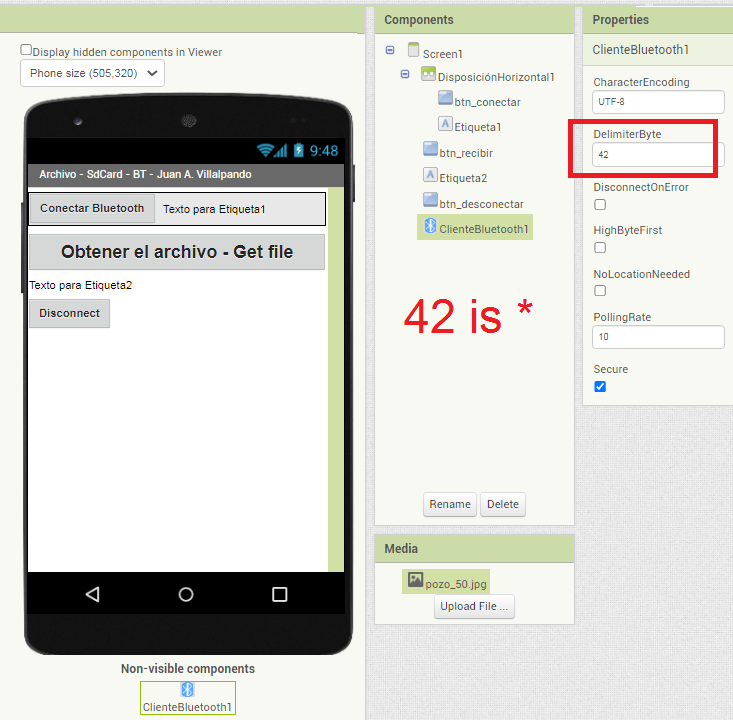
6A.- Arduino with SdCard sends a file to the App.
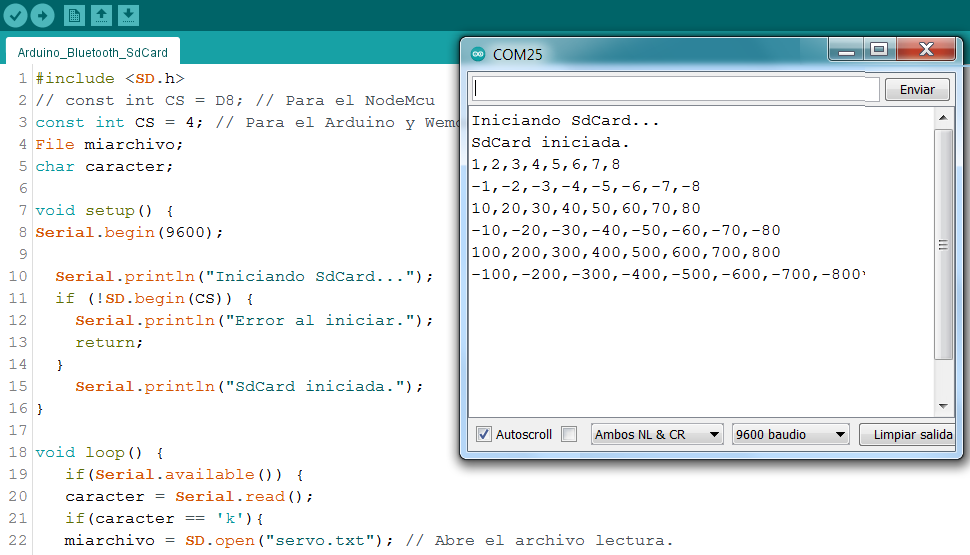
- In the Arduino SdCard we have the following file:
servo.txt
1,2,3,4,5,6,7,8
-1,-2,-3,-4,-5,-6,-7,-8
10,20,30,40,50,60,70,80
-10,-20,-30,-40,-50,-60,-70,-80
100,200,300,400,500,600,700,800
-100,-200,-300,-400,-500,-600,-700,-800
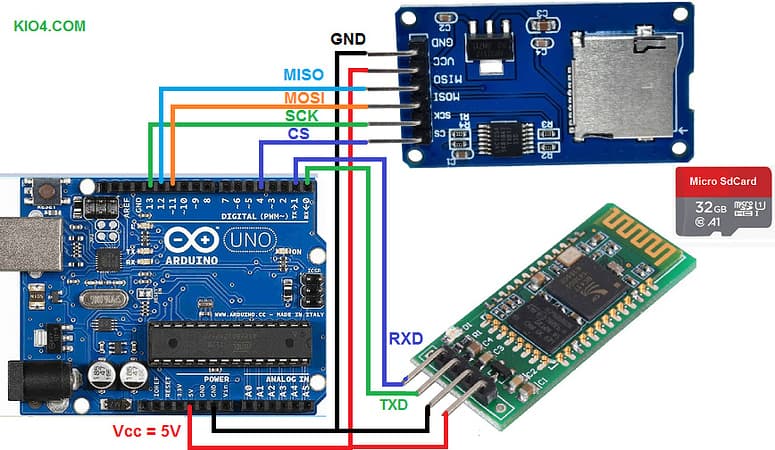
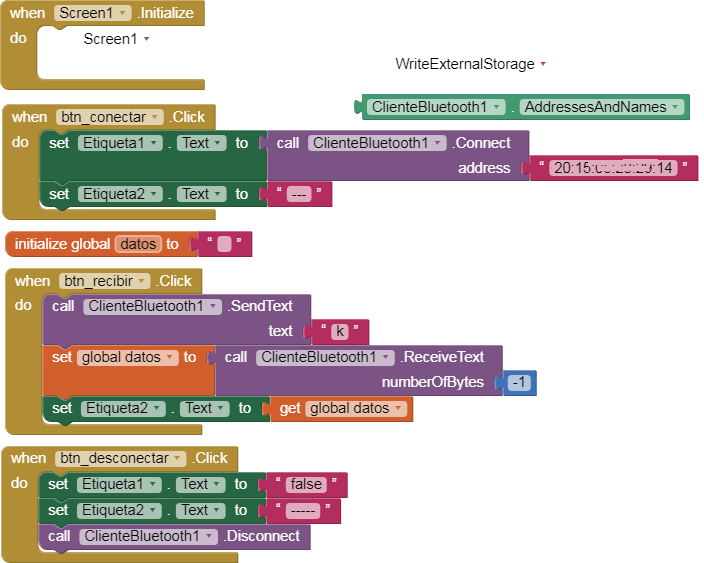
- We send the character "k" from the App to the Arduino via Bluetooth.
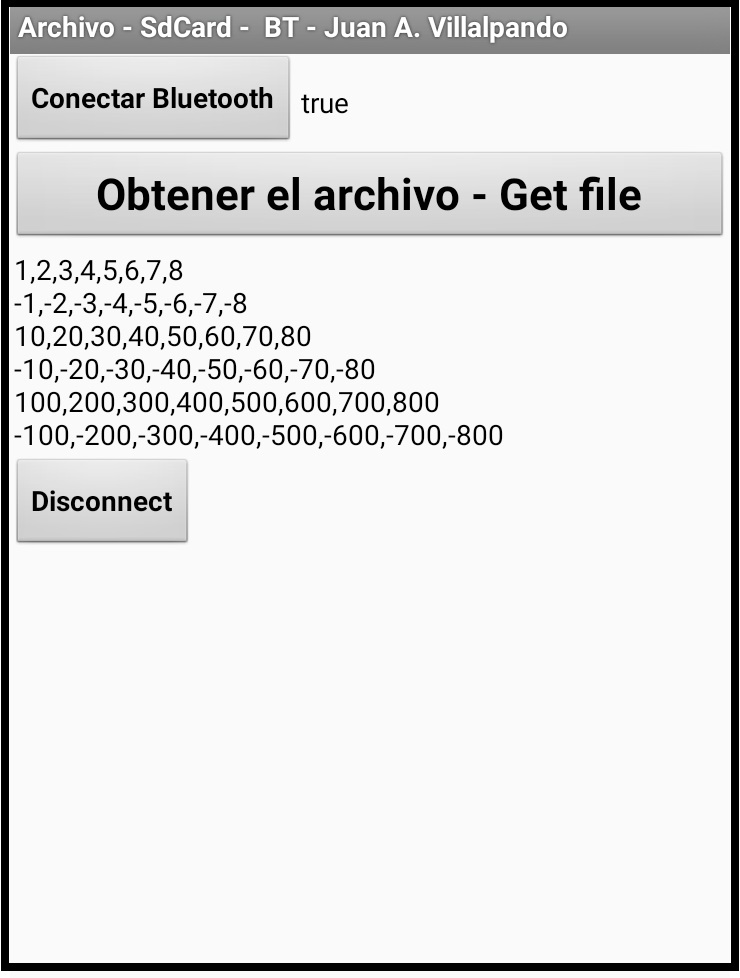
- When Arduino receives the character "k", it sends via Bluetooth all the information contained in the servo.txt file of the SdCard to the App.
#include <SD.h>
// const int CS = D8; // Para el NodeMcu
const int CS = 4; // Para el Arduino y Wemos ESP32
File miarchivo;
char caracter;

void setup() {
Serial.begin(9600);

  Serial.println("Iniciando SdCard...");
  if (!SD.begin(CS)) {
    Serial.println("Error al iniciar.");
    return;
  }
    Serial.println("SdCard iniciada.");
}

void loop() {
   if(Serial.available()) {
   caracter = Serial.read();
   if(caracter == 'k'){
   miarchivo = SD.open("servo.txt"); // Abre el archivo lectura.
            if (miarchivo) {
              while (miarchivo.available()) {
                Serial.write(miarchivo.read());
                // delay(20);
              }
                Serial.print("*");
                miarchivo.close();
            }
            else {
              Serial.println("Error al abrir el archivo.");
            }
          }
   }
}
p9L2_Bluetooth_Archivoi.aia (44.6 KB)