You probably do not need to create 40 more screens. More than 10 screens often causes issues with some apps for various reasons, that is why MIT recommends no more than 10 Screens. AI2 frequently becomes unstable when more than ten screens are used. Projects CAN be built with slightly more screens but then you should expect your app to occasionally behave erratically. Do not ignore the warning message that appears when you attempt to load your 11th Screen.
My problem is that I have 40 buttons on Screen1 who switch to 40 screens which have two labels with different contents depending of the button clicked.
Could I have just 2 screens :
1 with 40 buttons
1 with 2 labels edited by the buttons on the first screen
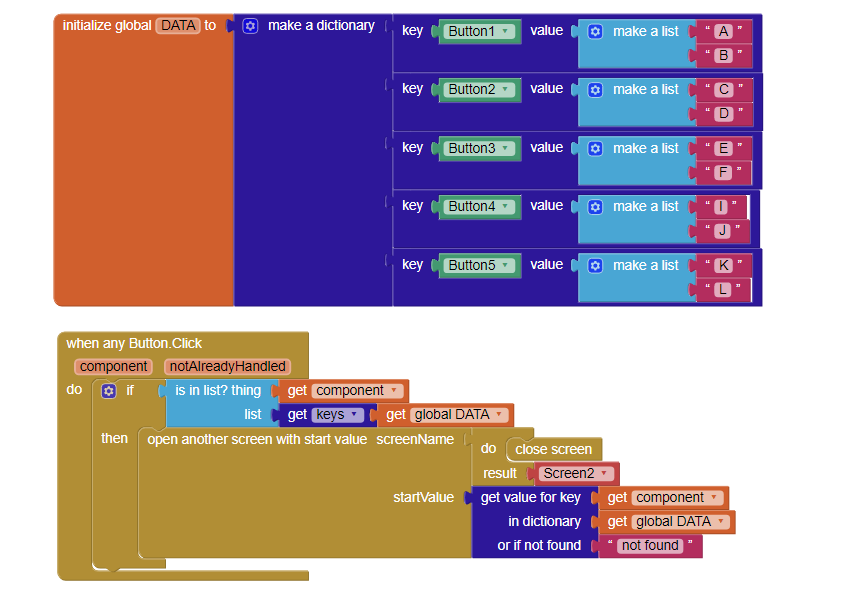
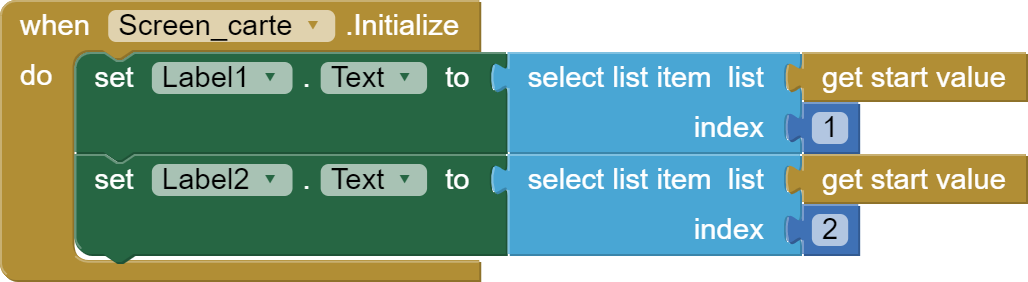
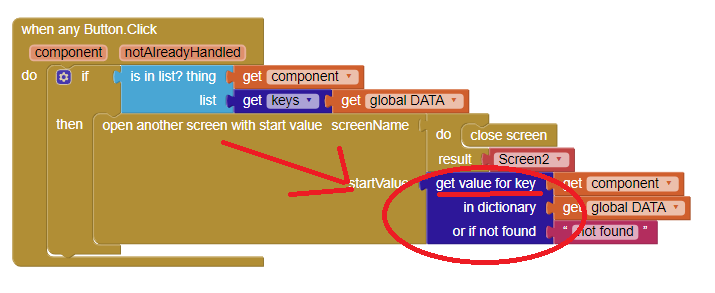
It can be done even with one screen. Here is an example with 2 screens using dictionary blocks. Each button click sets different text in labels in 2nd screen multiple_buttons.aia (4.0 KB)
Thank you a lot !
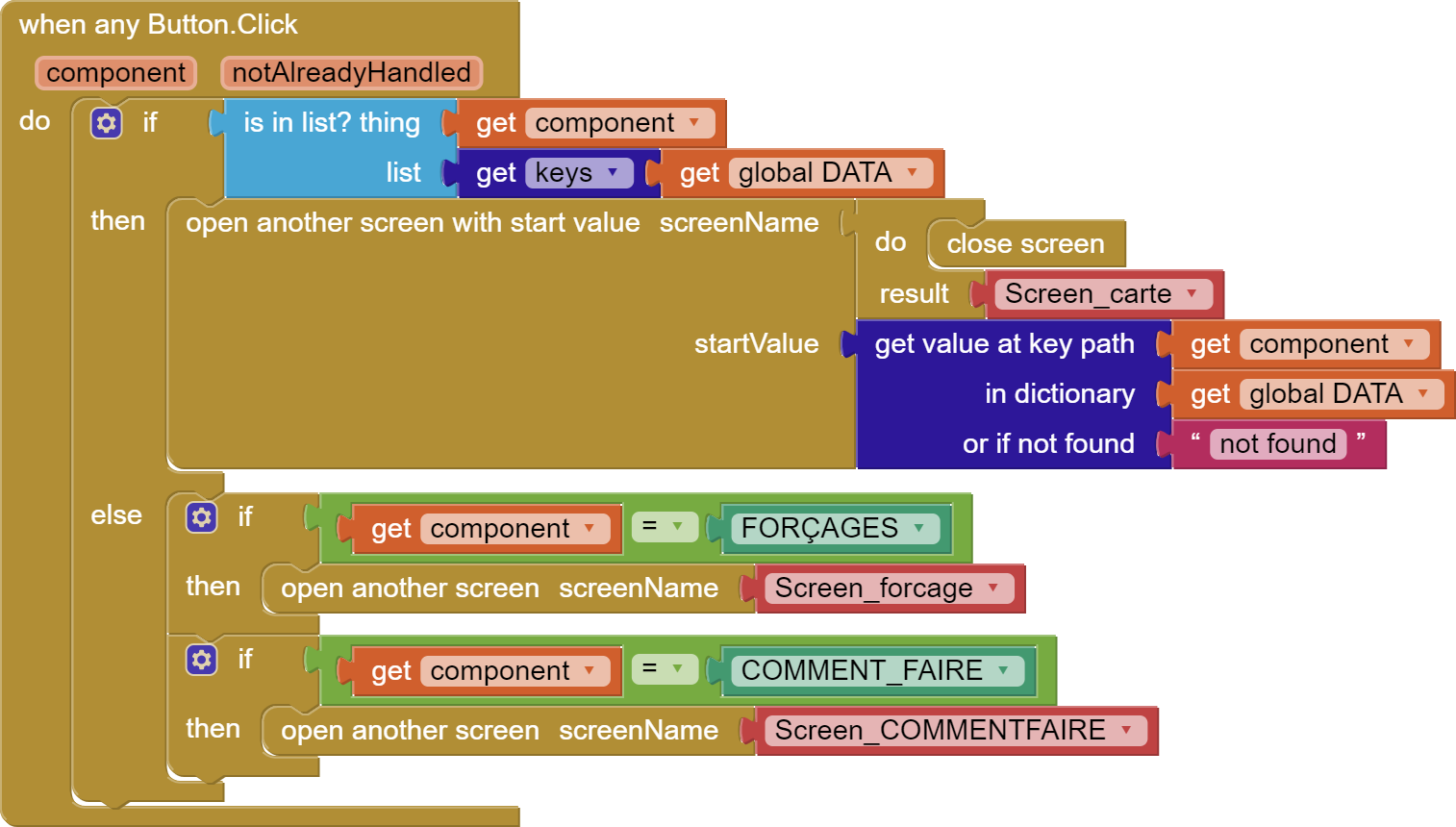
Another question ; how can you do this but not with all buttons ? Like with exceptions
Or I need to make the code for all of buttons ?
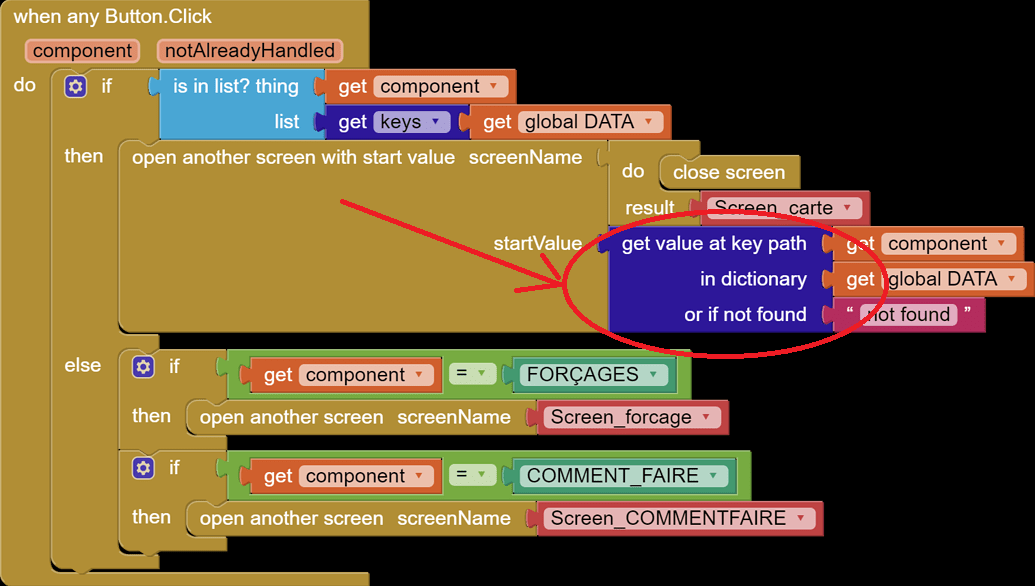
The first part of the code in when any Button click checks if the button you clicked is in dictionary. If it is not then it won't do anything. You can add and else condition to do another action, it is up to you
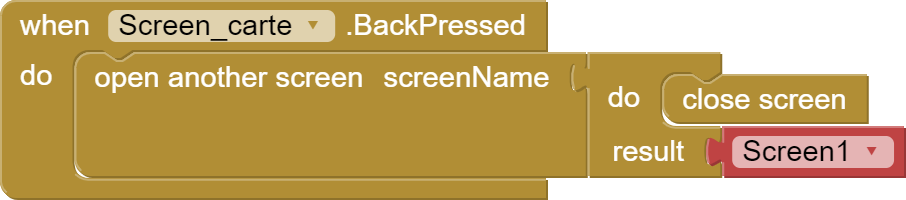
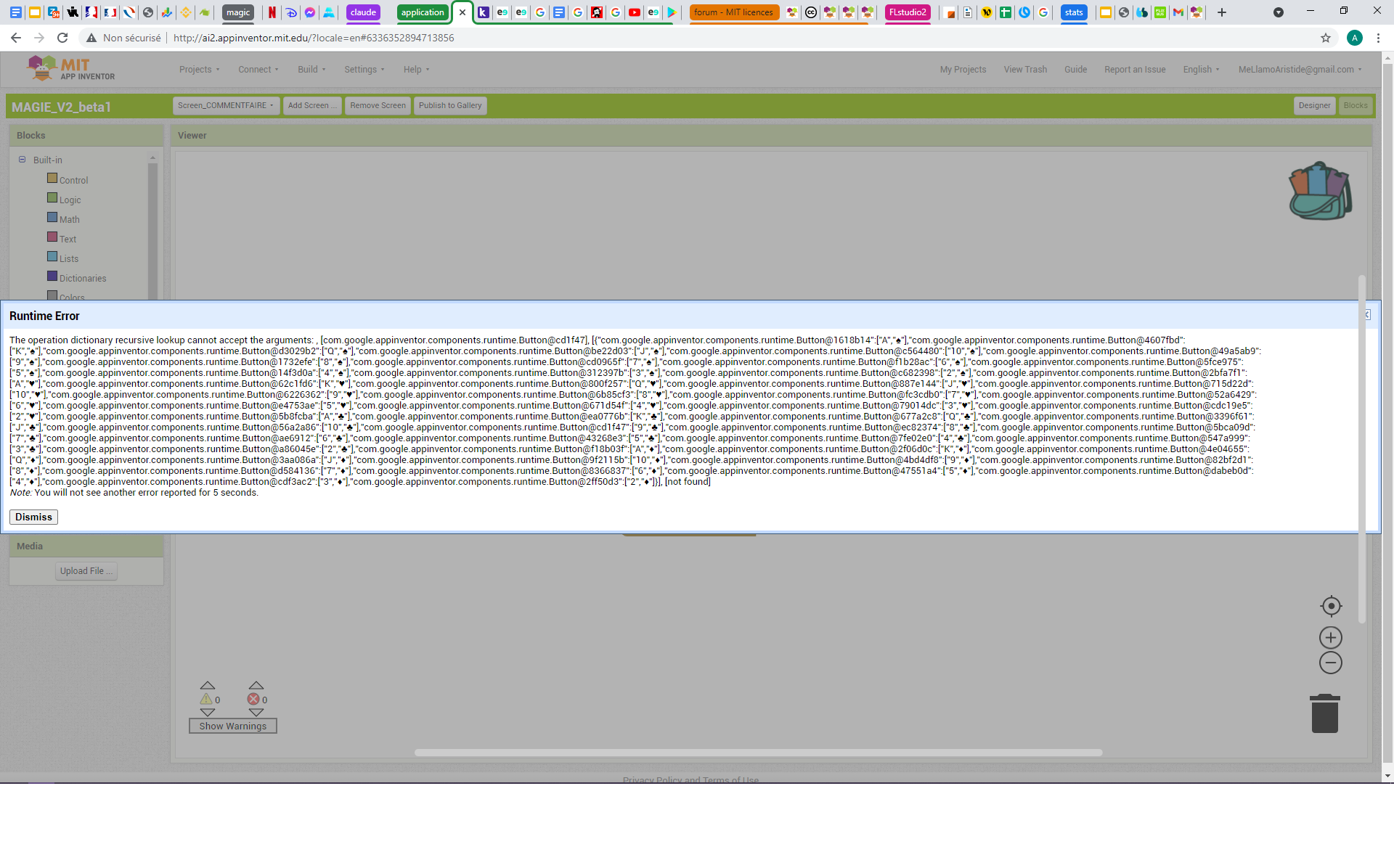
I try like you said but when I click on a button who is in the dictionary the page doesn't open and reopen Screen1
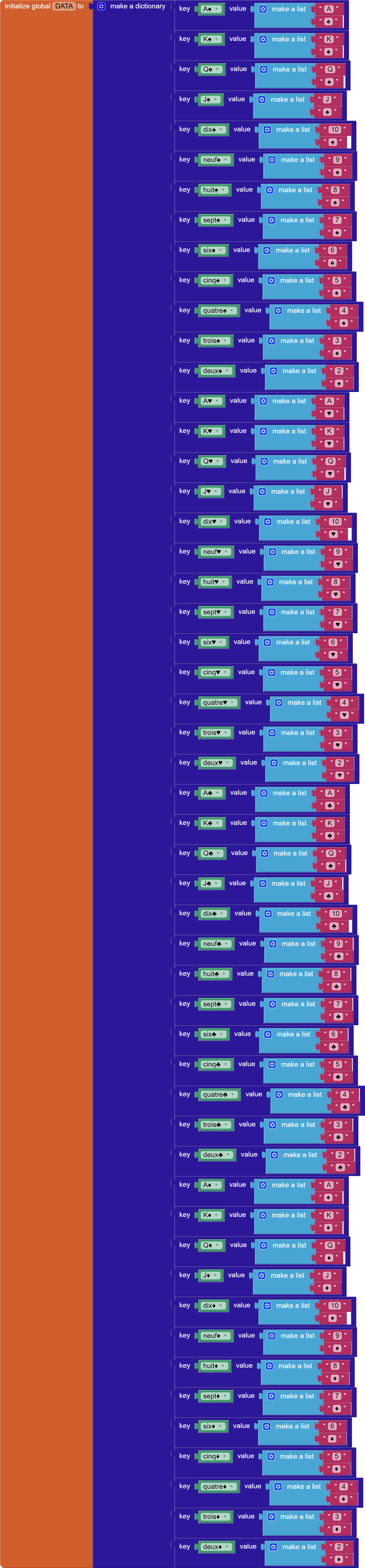
My code is exactly the same like yours just with a dictionary of 52 keys.