Now added to the first post 
2 Likes
Update
Fourth extension added, as created by @Kevinkun to set an ImageSprite.Picture from a base64 string.
This is added to the first post.
can we have a base64 to canvas background?
will that solve "save canvas to image, set image as canvas background,and bg become more and more blur" issue?

how can i get the image path after "base64 to image" ??

For this block i need path
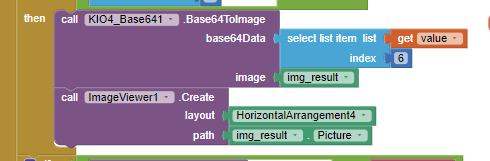
in this way,it doesn't work
There is no path or file, just the base64.
You will need to save the converted base64 string to a file, then use that path.
2 Likes
thanks
That's really useful,thank you.lol
Your extensions work excellent, thanks a lot.
Just a question, I'm trying to save this image files to Google Drive, but when I save them, they have 50-60 Kb, so small. It could be because the compression or maybe I need to change my Google Script?
How did you do ? show us your relevant blocks.
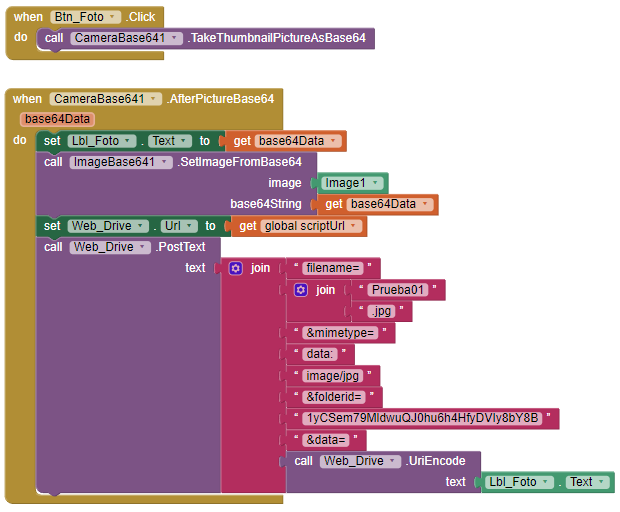
The Google Script is:
function doPost(e) {
var data = Utilities.base64Decode(e.parameters.data);
var blob = Utilities.newBlob(data, e.parameters.mimetype, e.parameters.filename);
DriveApp.getFolderById('1yCfyDVIy8bY8B').createFile(blob);
return ContentService.createTextOutput("Your File Successfully Uploaded");
}
because you are calling TakeThumbnailPicture? Thumbnail normaly very small.
Try with Camera.TakePicture, then get base64 of the picture, then send to googe drive.
1 Like
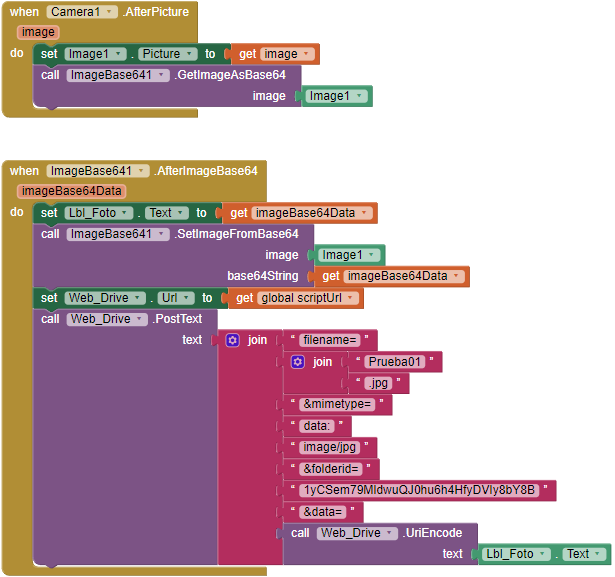
Hello.
I would like some help on how to convert Canvas to Base64. I've tried many variations (ANKE, TIMAI etc...) but it doesn't work.
I would like to upload the image converted into a string to firebase.
Everything works, but the saved data gets the value ("File not found.").
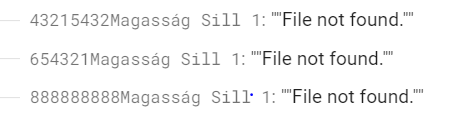
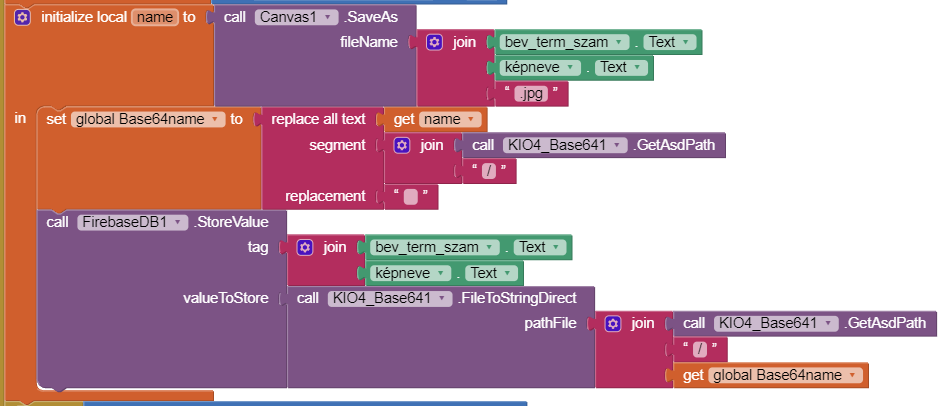
My Android version is 12, API 31.
Thanks for the quick response.
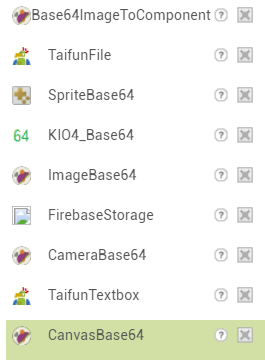
Yes, that's what I started with. CameraBase64 works perfectly, the received string is also added to firebase. Unfortunately, what I would need is to convert a modified image (canvas) and not a camera captured image. The installed extensions:
Here is your suggested test and the error message at runtime. (All direct canvas conversions give the same error)
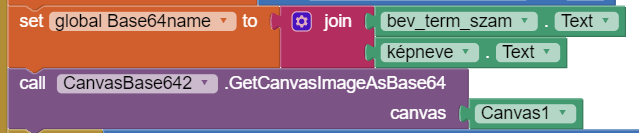
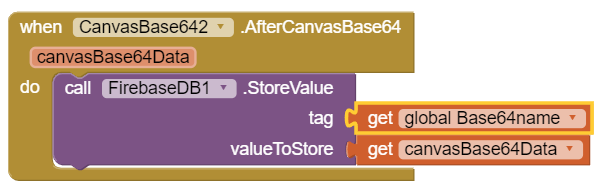
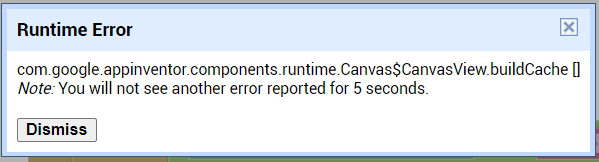
Just tested, and you are correct, it throws that error. Not sure what has changed to make this happen....will need to do some testing.