when i tried adding absolute arrangement into my screen, it's the variable it just doesn't work. when i opened mit companion it just says like variable something something— am I only one who's experiencing this?
Please post a screenshot of that message
Taifun
In your block image, label is first and button is next. But in designer it is reverse. Make sure you are handling the visibility property, height property properly or try rename the arrangement
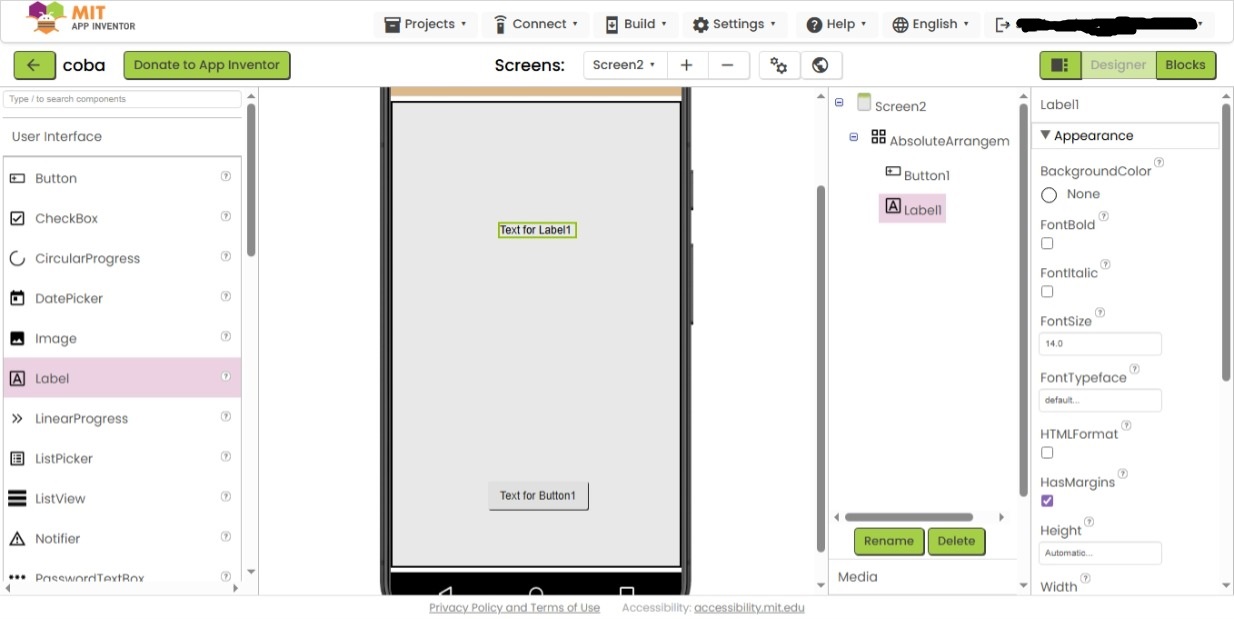

Hi, I've enabled all the visibility for the label and the button, but the companion app still doesn't show those components
Can you share the aia here?

Del the exisitng arrangement. Add one new arrangement amd try again. Do not set the same name, and try with AbsArr
absoluteArr.aia (1.5 KB)
Your aia file works; I can see the button at the center of the screen. However, I notice that you're using AbsoArrangement, which is not available in my App Inventor. I'm using the online App inventor, and I have only these options for the layout...
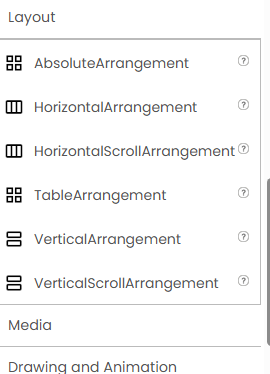
I understand now your doubt. I just dragged out one vertical arrangement and added these elements
Already this issue (absoluteArrangement) is reported by @TIMAI2
You may try his method. Instead of absolute arrangm why dont you try arrangments?
What version is shown in the companion app? The AbsoluteArrangement is fairly new and will not work in older companion versions.
1 Like
It's version 2.76. Is it too old?
Pls test with 2.77, i have no issue with it.
Absolute Arrangement was introduced in the Android version in 2.75, so this should be working...