What options are there for selecting data from tables - so suppose I have this data in a CSV file:
Name
Height
Weight
Mike
180
70
Sam
160
60
and I want to find height of Mike or weight of Sam
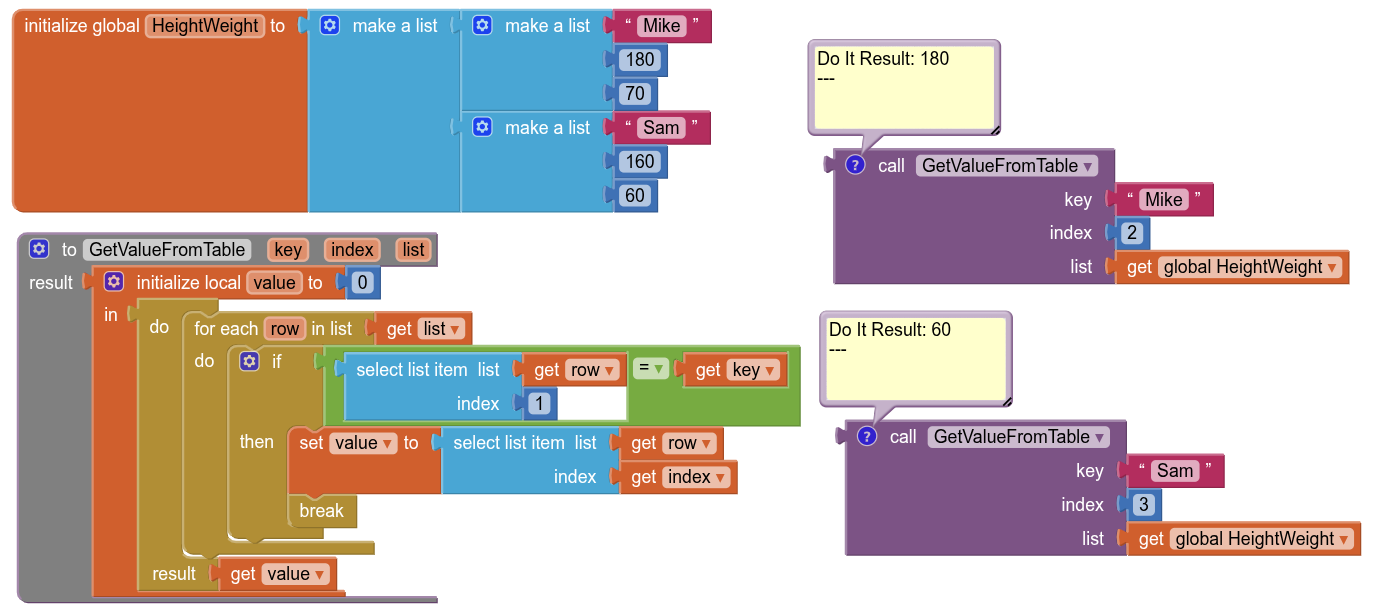
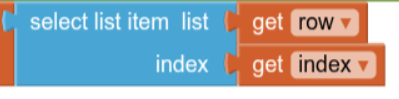
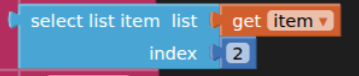
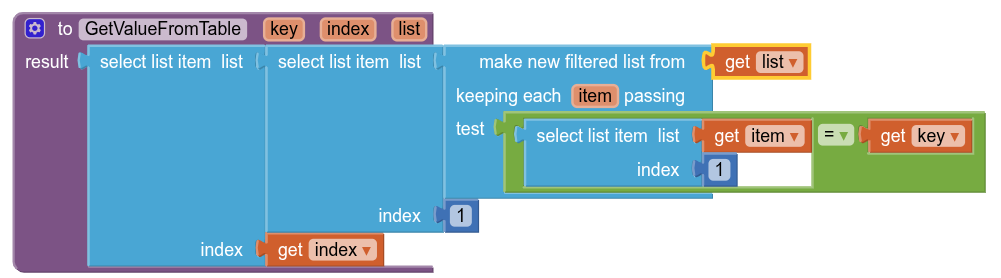
Then I can load data into a table (list of lists) using listfromcsvtable, but I can’t use list lookupinpairs because this only works on pairs and there is also dictionary get-value-at-key-path but this also only works on pairs. So I can write my own function so something like:
And this works, but just wondering if there is a better way to do this where you either pass the index (as above) of the data you want or the column heading. The above could easily be amended to pass the index of the key, rather than hard-coding as index 1, but in my case I think all my data has the key as the first column.
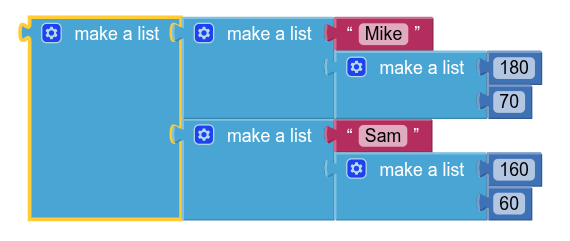
The other alternative is to structure the data differently so like this:
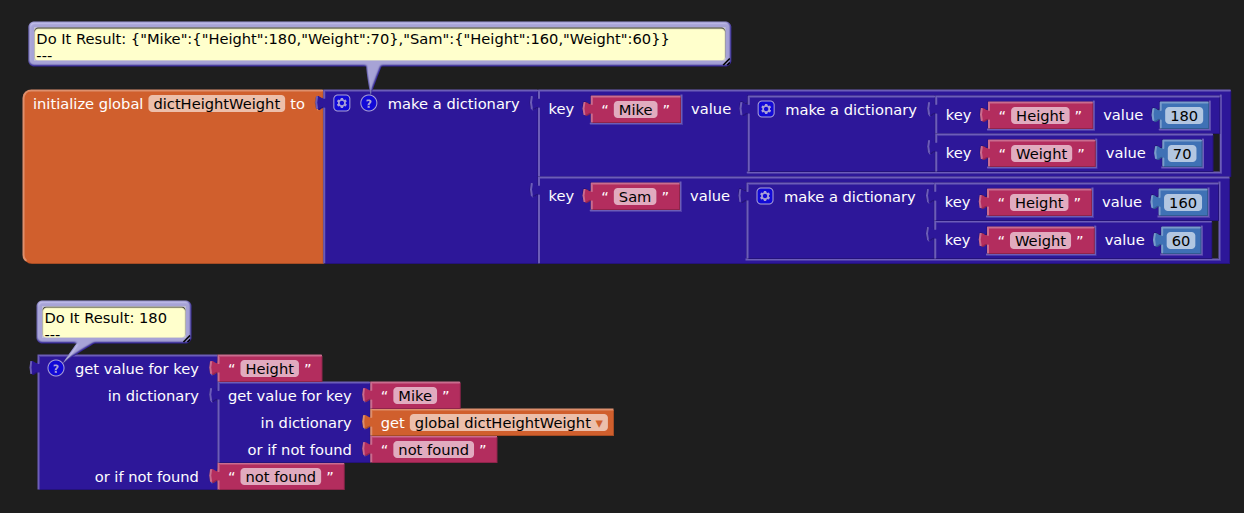
or I can use a dictionary if I structure my data this way, but to structure my data like this using lists or dictionaries, then I can’t use listfromcsvtable and I would have to write my own procedure to load the data.
I looked at DataFile but that doesn’t seem to provide anything useful for selecting data.
So comments welcome if there are better ways to get data from tables.
Thanks for reply:
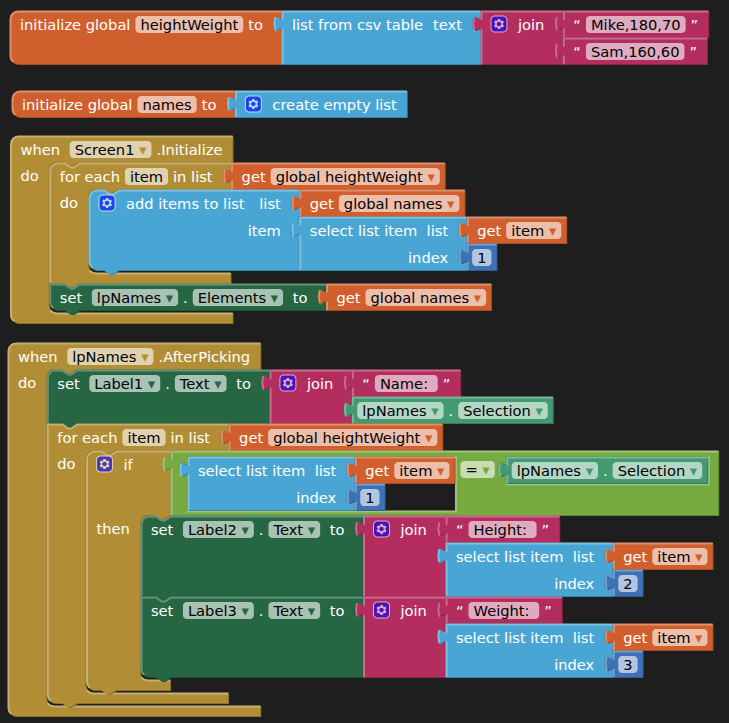
Your example seems to be the exact same algorithm:
Loop through list of lists (table) to find where first item of sublist = key:
Mine:
But is the dictionary method any better - how would that work?
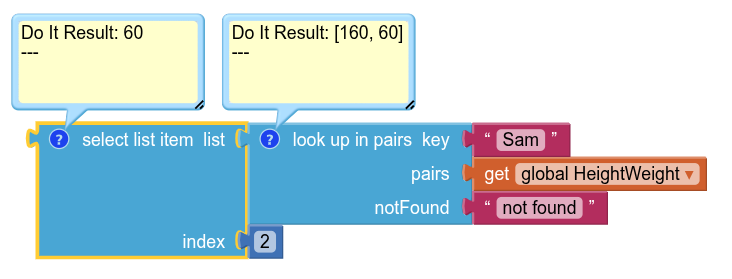
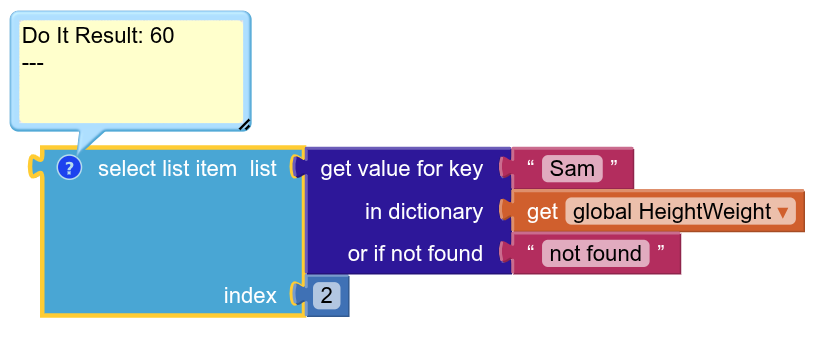
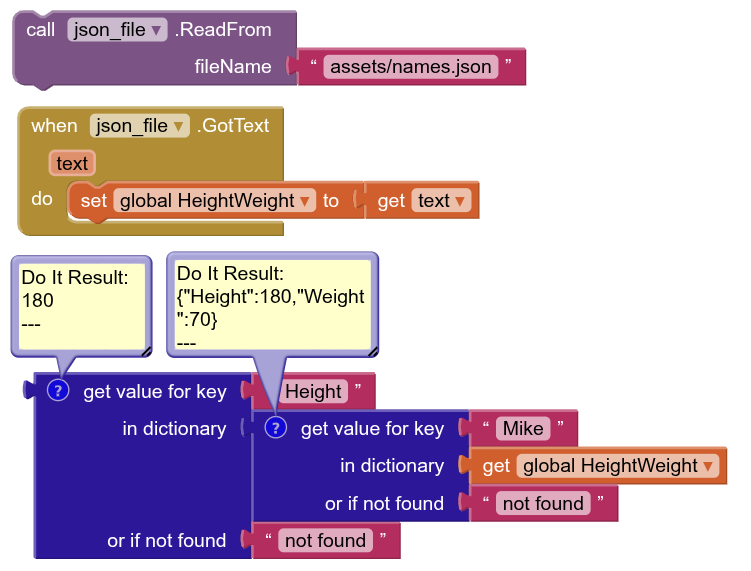
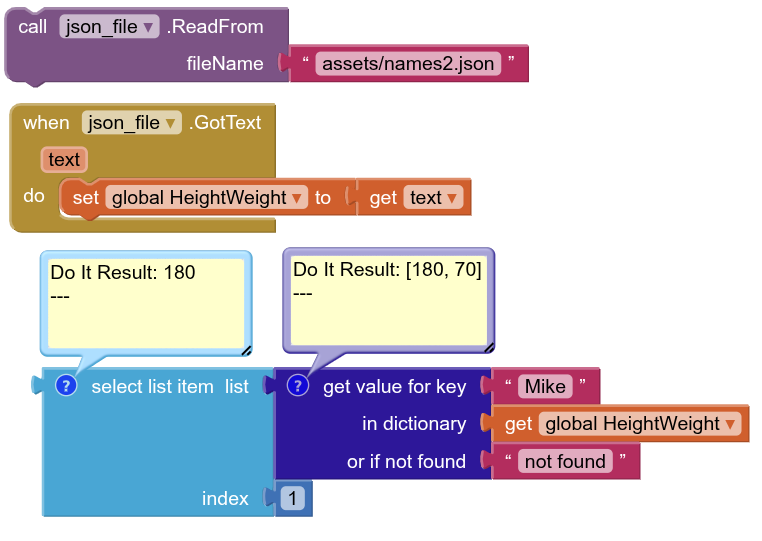
My data is in CSV format with about 250 rows but I could easily convert this to JSON format so that AI2 loads a JSON file instead of a CSV file, but does this help - does this make it easier to load the file into a dictionary (I have not used JSON files before in AI2) so then I guess you would use something similar to my lookupinpairs example so something like:
The differentiating attributes for the two designs are uniqueness and sort order.
If you want to maintain a set sort order, beware of dictionary keys, sorted by the dictionary mechanism for its own eficiency.
If you need uniqueness, that's a good place to use dictionaries.
People names are never unique.
In either event, you still need to check for missing values. Filters can return empty lists, so have that Is List Empty block handy before jumping into a List Select.
(because of the unique id, you can have multiple "same names", but i have not handled this in the blocks, it returns the height and weight for the first same name found)