For the last several months, we have been operating our production App Inventor system on Amazon Web Services using a PostgreSQL database back-end.
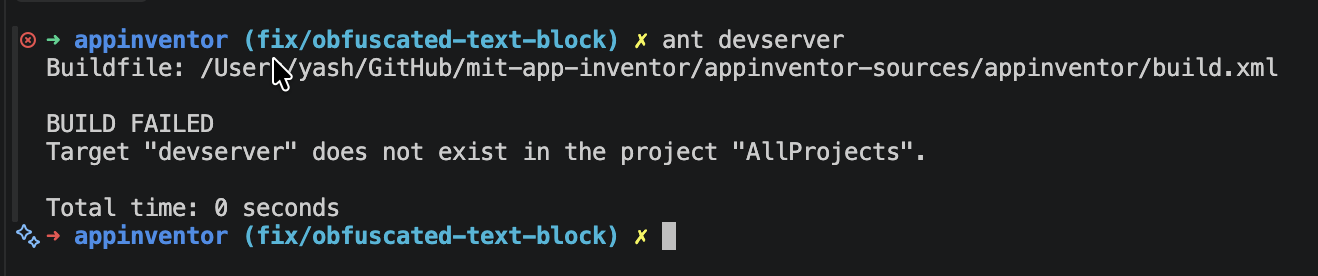
Today, we merged the changes necessary to use PostgreSQL into the master branch of our open-source repository. This means going forward, you will not use the Google App Engine Devserver but instead will use our Devserver, which you can invoke from Ant using the target "devserver." This will compile the system and bring up a devserver listening on port 8888 as usual.
One thing to be aware of is that you will have to provide a PostgreSQL database for the system to use as its back-end storage. The README file explains how this needs to be set up. The system also supports storing assets in an AWS S3 storage bucket. However, you do not need to do this. If you do not provide an S3 storage bucket, assets will be stored in the PostgreSQL database, which is certainly fine for development.
@jis does 'ant devserver' also compile the code? Is there a command to run the devserver with previous compilation? It is compiling everytime I want to start the devserver, which is consuming time.
To add to that, if you can use a closer target to the changes you are making, for instance ant webapp if you have only made GWT changes, then you don’t have to restart the server, it will pick up the changes automatically. This is not always possible, but it saves time when it is.
I recommend Jose's technique and I also used that in the old server setup as well. Keep two terminals active, one where you run the server and a second where you regularly use ant to recompile.
Another option if the front end takes a long time to build is, unless you are testing translations, pass -Dlocale=en to only build the English version of the UI rather than compiling in all 20 languages. This reduces memory consumption and should speed up the build, especially on machines with less RAM.
There seems to be something else here though, because I do see YaClientApp always recompiling when running the new server, changes or not. There is always 1 permutation being re-run. I’ll have a closer look at the dependencies.
Actually ant clean fixed the trigger for YaClient. There were stale classes in WEB-INF/classes that were being picked up as new and forced a new recompile. After cleaning, I see no extra compilation steps when there have been no changes. I guess the classes were there from changing branches (from the old system).