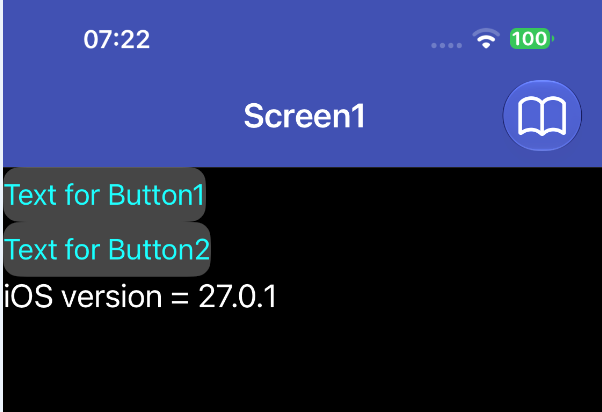
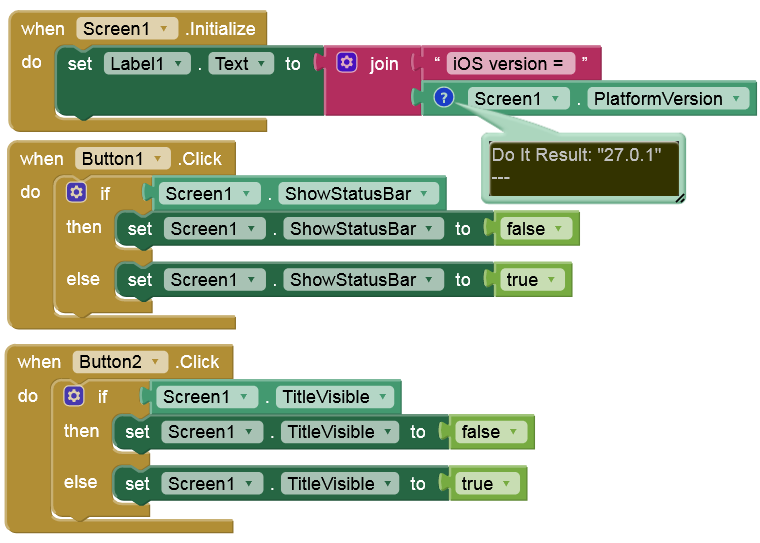
Issues with the display of the status bar and title bar on iOS 27.0.1

After Button1 click:

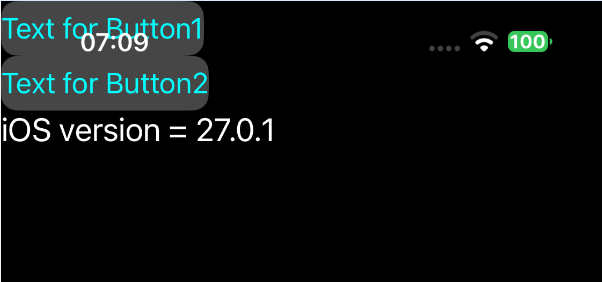
After Button2 click:

  • Once the title bar has been hidden or shown, the status bar can no longer be displayed.
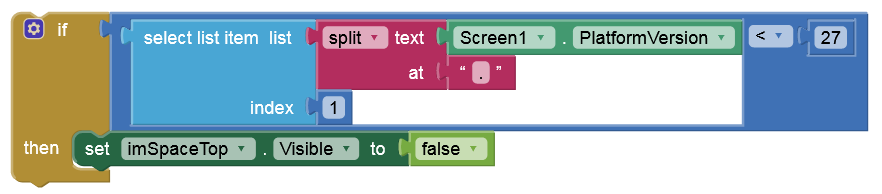
  • If you do not want to display a title bar, you must insert an arrangement or an image with a height of 50px at the very top.
  • If the ShowStatusBar is set to false it returns true anyway.
  • When using the IPA, the title bar must be hidden within the Screen.Initialize event, as the setting in the designer has no effect.

Statusbar.aia (2.4 KB)

I'll see if I can dig into this today and whether we can get a fix into next week's release.

2 Likes

@ewpatton I dug into this, and there are four causes in the iOS code:

  1. The ShowStatusBar getter reads the deprecated UIApplication.isStatusBarHidden, so it always returns true. That makes a toggle one-way.

  2. The top offset uses UIApplication.statusBarFrame, which seems to return 0 on iOS 27, so content ends up under the status bar.

  3. In the IPA, TitleVisible is set before the form is in its navigation controller, so the call does nothing.

  4. The navigation controller doesn't pass the screen's status bar setting on, so the status bar can't be hidden while the title bar is visible.

Issue: iOS: ShowStatusBar and TitleVisible broken on iOS 27 · Issue #4194 · mit-cml/appinventor-sources · GitHub
PR (against ucr): Fix ShowStatusBar and TitleVisible on iOS by preetvadaliya · Pull Request #4195 · mit-cml/appinventor-sources · GitHub

1 Like

Can you please also take a look at this: :folded_hands:

Yes, I had found similar challenges when looking into this. The other problem is that in some cases I can imagine wanting to be able to hide the bars but make use of the safe areas (e.g., so content doesn't go under the notch on devices with one) and in other cases one might want to allow for content to bleed out of the safe area (full screen games). I'm debating whether to add a separate property to use the safe areas (which would be the default) or not, to allow for full screen games, etc.

1 Like

However, the area/button etc. located below the notch would then no longer be clickable. That probably wouldn't make much sense, even in a game.

It's not necessarily about interactive controls, but extending, for example, the canvas if one wanted to draw a health bar or something to that effect.

1 Like