Introduction
Media3Player is an open source video and audio player for App Inventor, built on AndroidX Media3, the current version of ExoPlayer. It replaces my older ExoPlayer extension with a modern player UI and a much larger set of blocks.
It plays files and streams (MP4, HLS, DASH, SmoothStreaming, RTSP, live streams and internet radio), protected content with Widevine, ClearKey and PlayReady, and downloads for offline playback. You get a ready player with gestures, fullscreen and a settings sheet, or you can turn the controls off and build your own UI with blocks.
Features
- Player UI: auto-hiding controls, a seek bar with buffering, chapters and thumbnail previews, previous and next, ±10s, a speed chip, subtitles and a settings sheet (quality, speed, subtitles, audio track, zoom, loop).
- Gestures: double tap to seek, hold for 2× speed, pinch to zoom, swipe for brightness and volume in fullscreen. Each one can be turned off.
- Fullscreen in landscape or portrait, matching the video, and D-pad and remote navigation.
- Formats: MP4, HLS, DASH, SmoothStreaming and RTSP, live streams with a LIVE indicator, custom HTTP headers, and WebVTT, SRT, TTML and SSA subtitle files.
- DRM: Widevine, ClearKey and PlayReady, including ClearKey from known keys without a license server.
- Media items: describe each media and how to play it in one dictionary, with keys from dropdowns. Build playlists with blocks, or load them straight from JSON.
- Queue: add, insert, replace, remove and move media, with an up next countdown, replay, and error and retry states.
- Background playback with a media notification, lock screen and headset controls.
- Offline: downloads with progress events, a disk cache for streams, and preloading of the next media.
- Audio: equalizer presets and bands, bass boost, loudness boost, mono and left/right balance.
- Customization: accent and control colors, corner radius, poster image, subtitle style, and a switch for each control.
- Events and data: playback state, position, buffering, tracks, video size, stream titles from internet radio, errors by category, playback statistics, the current subtitle text, and the phone's media volume.
- Other: frame capture to PNG, a dialog mode, moving the player between arrangements, and several players on one screen.
Screenshots
| Fullscreen | Settings sheet |
|---|---|
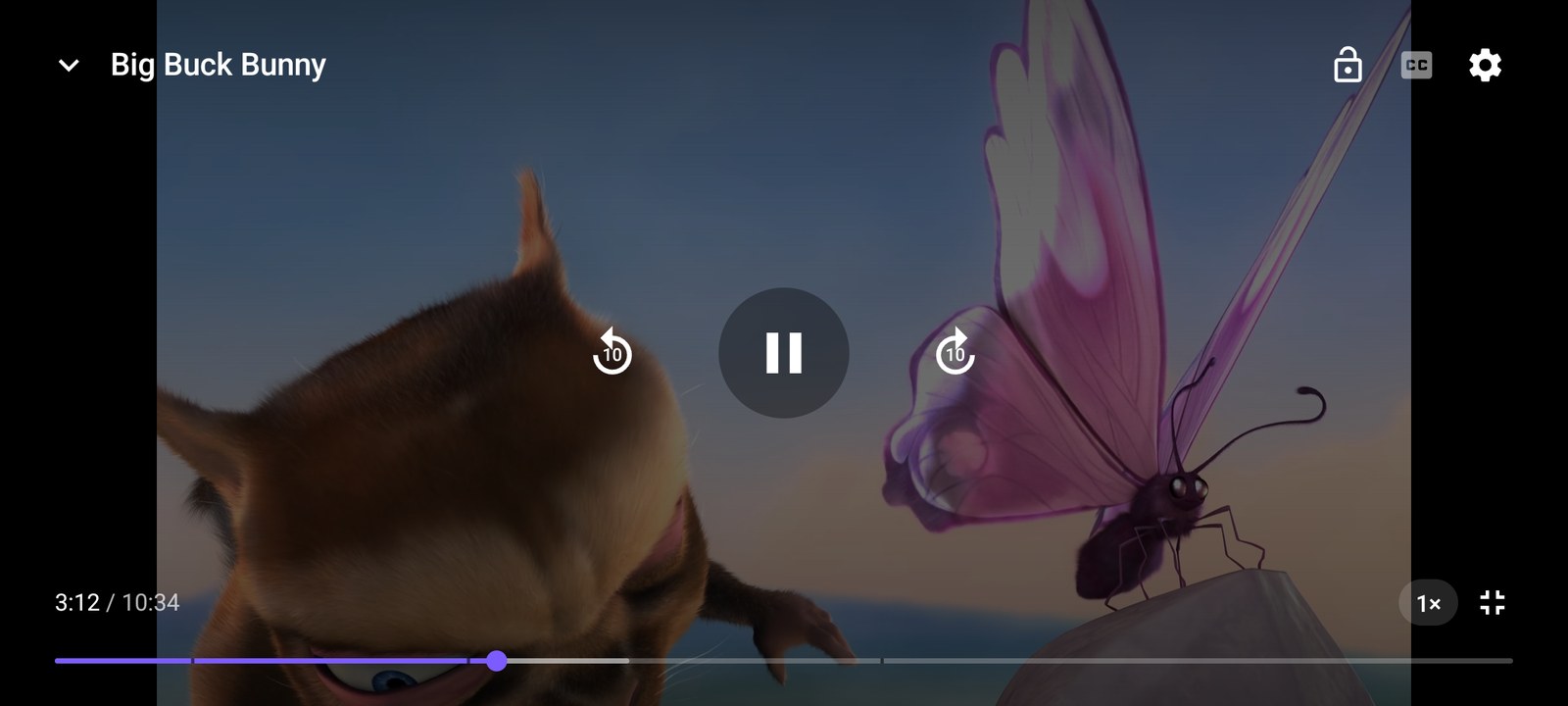 |
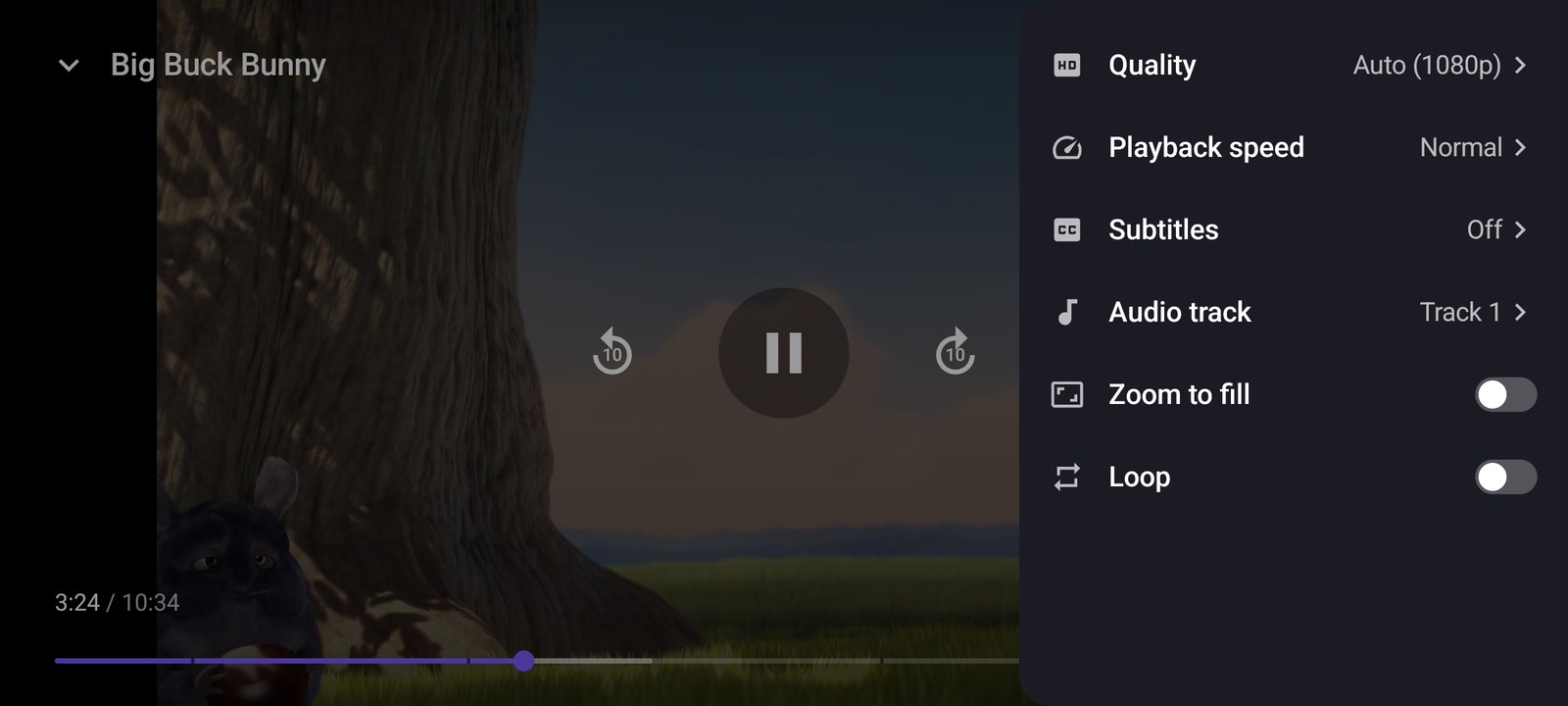 |
| Inline player | Thumbnails while scrubbing |
|---|---|
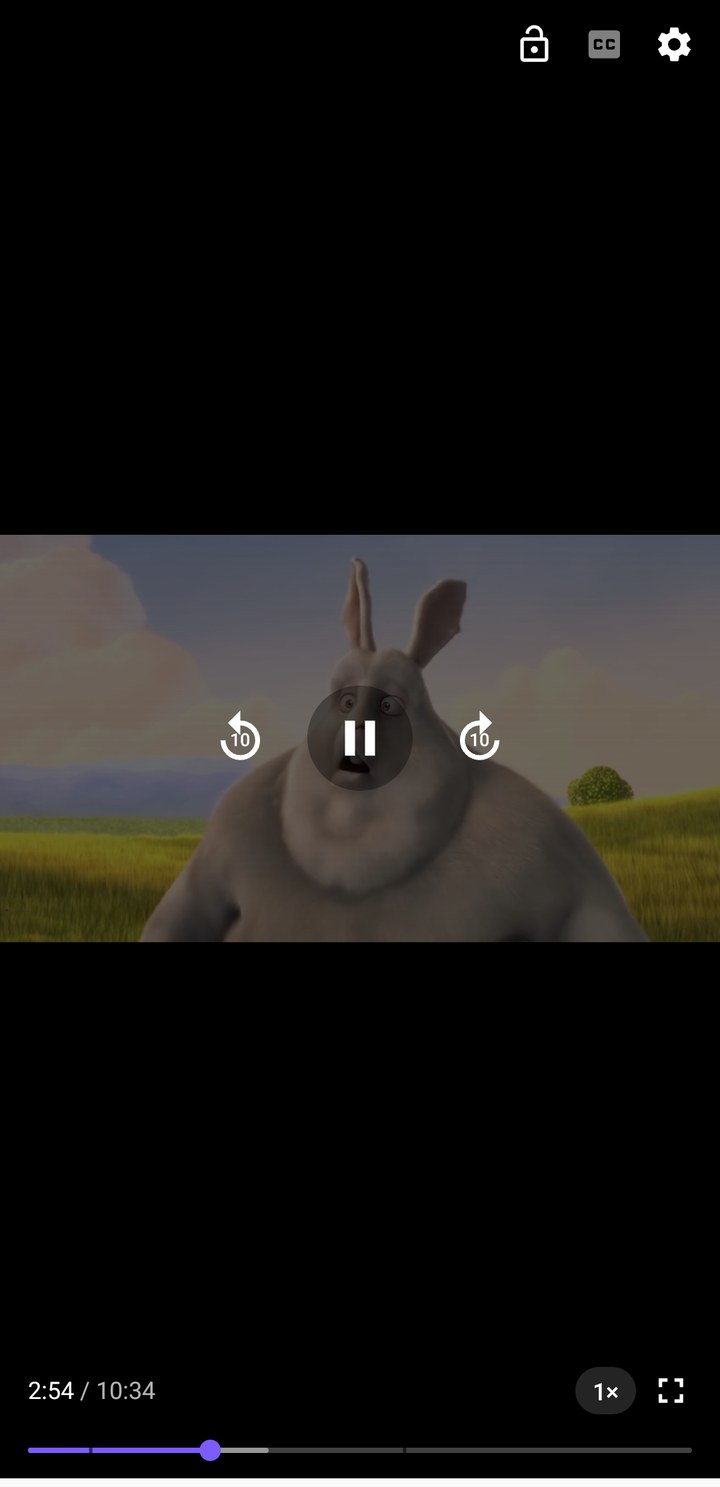 |
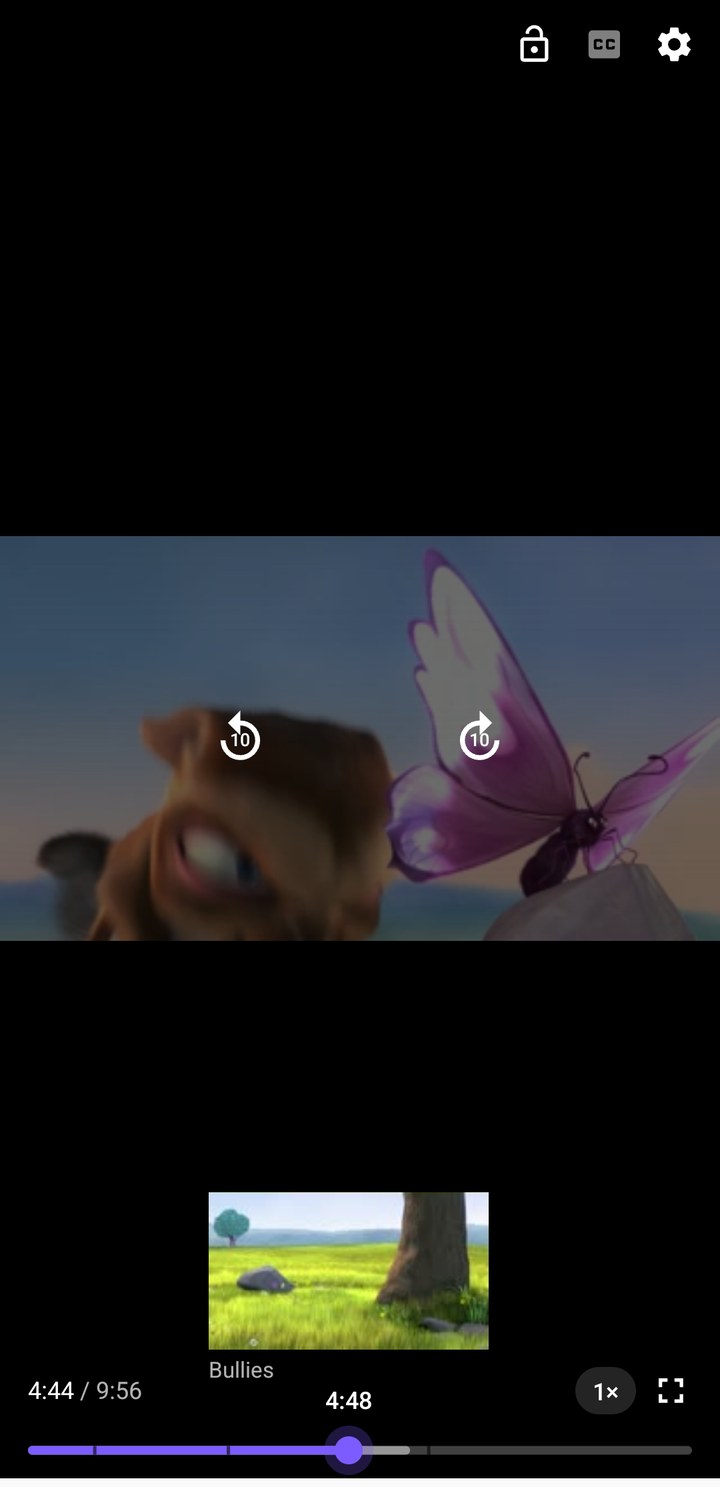 |
Getting started
- Import
dev.dreamerslab.media3.aix(Palette → Extension → Import extension). - Add an arrangement, for example a VerticalArrangement with Width Fill parent and a fixed Height, and a Media3Player component.
- In
Screen1.Initialize, callMedia3Player1.Create(VerticalArrangement1). - Call
Play(source, title), andAddToQueue(source, title)for more media. A source is a URL or the name of a media file uploaded to the project. - Build an APK to test. The AI Companion can't load the Media3 libraries the extension ships, so the player doesn't work in it.
How it works
The player lives in an arrangement. Create puts it inside the arrangement you give it, and MoveTo, EnterFullscreen and ShowAsDialog move it around. Most settings are properties you can set in the designer.
Media items describe what to play. For anything beyond a URL and a title, like subtitles, DRM, a clip or thumbnails, pass a media item: a dictionary built with make a dictionary, whose keys come from dropdowns, so field names can't be misspelled. Only the uri is required.
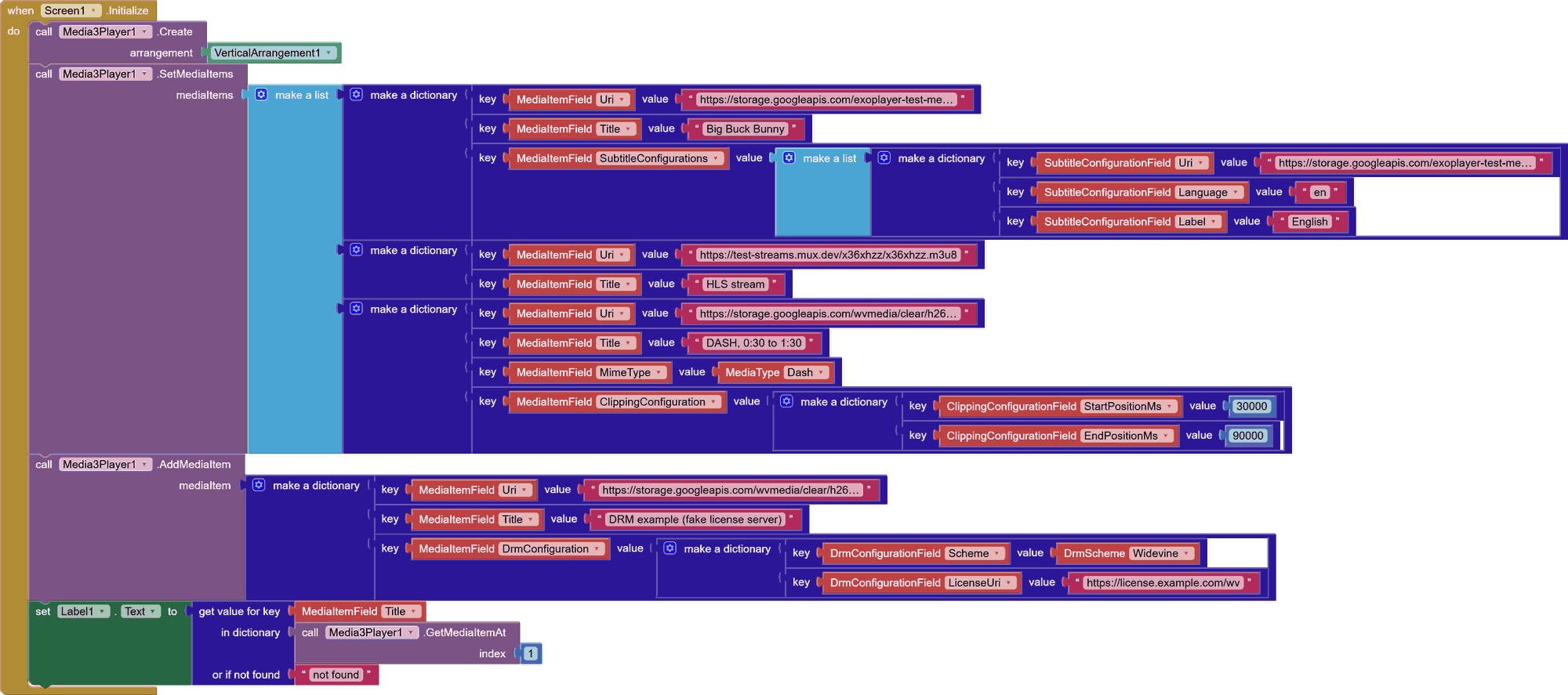
There's one dropdown for each part of a media item, named after Media3's classes:
| Dropdown | Fields |
|---|---|
MediaItemField |
Uri, Title, Artist, Description, ArtworkUri, MimeType, DrmConfiguration, SubtitleConfigurations, ClippingConfiguration, Thumbnails |
DrmConfigurationField |
Scheme, LicenseUri, LicenseRequestHeaders, ClearKeys |
SubtitleConfigurationField |
Uri, Language, Label |
ClippingConfigurationField |
StartPositionMs, EndPositionMs |
ThumbnailsField |
Uri, Columns, Rows, IntervalMs |
A playlist decoded from JSON with Web.JsonTextDecodeWithDictionaries works as it is, with the field names as text keys (uri, title, drmConfiguration…).
Results arrive in events. Playback changes fire events like PlaybackStateChanged, MediaChanged and PlayerError, with an error category (Network, NotFound, Format, Decoder, DRM or Other). Mistakes in blocks, like an index outside the queue or a misspelled media item field, raise Screen.ErrorOccurred with an error number and a message naming the problem.
Blocks
Media3Player has 247 blocks. The block reference shows every one with its image and description, grouped like the designer: functions, events, properties and dropdowns. Each image contains its block, so you can drag it straight into your workspace.
Blocks in use
These come from the sample project.
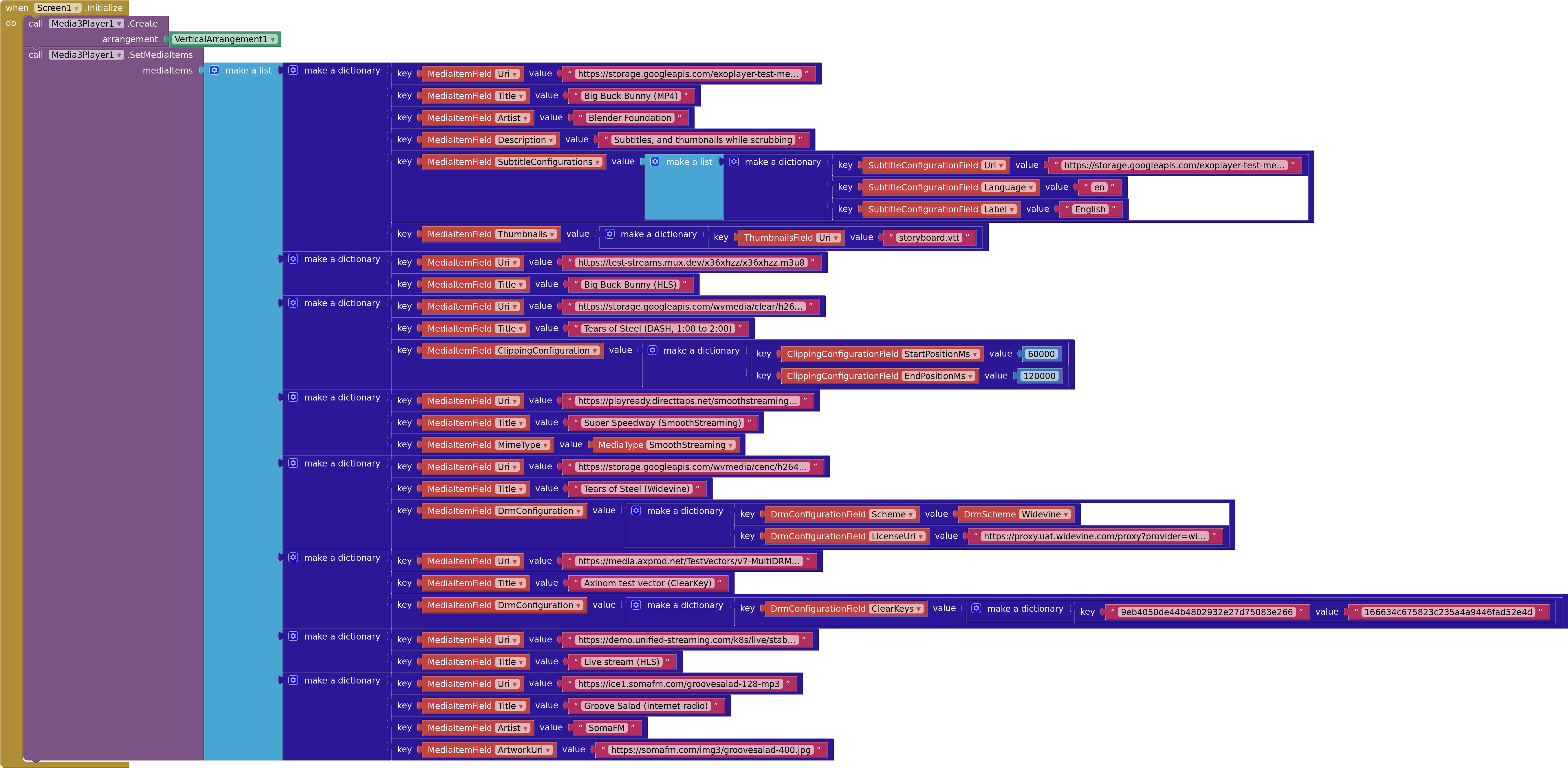
Show the player and play a queue of media items: MP4 with subtitles and thumbnails, HLS, a clipped DASH stream, SmoothStreaming, Widevine and ClearKey DRM, a live stream and internet radio.
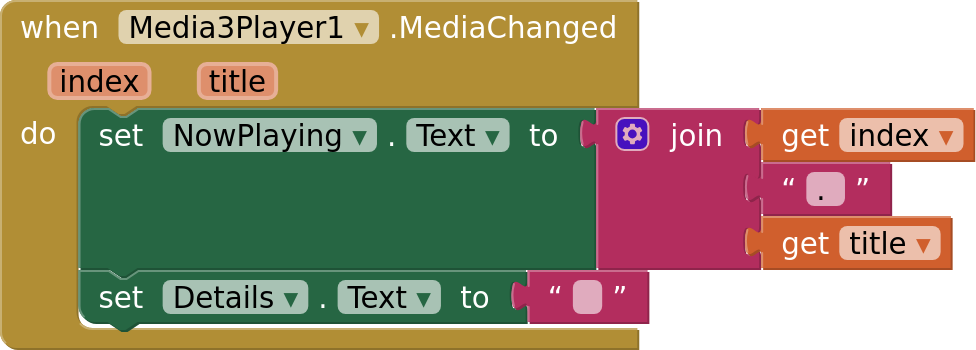
Show what's playing when the queue moves on.
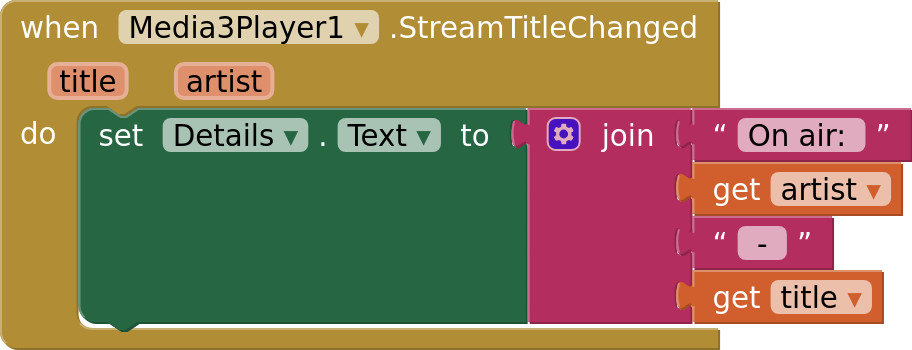
Show the song an internet radio station is playing.
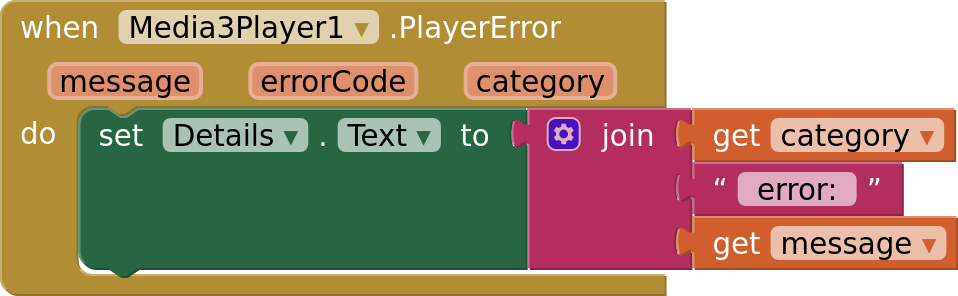
Tell the user why a media can't play.
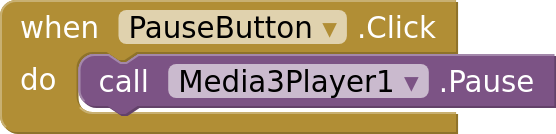
Your own controls, next to or instead of the player's.

Read the current media item back as a dictionary.
Sample project
Media3Sample.aia plays a queue with every kind of media, built with media items, and has buttons for previous, pause, resume, next and showing the current media item. Import it (My Projects → Import project) and build an APK to try it.
Requirements and testing
- Android 6.0 (API 23) or newer.
CaptureFrameneeds Android 7.0. The extension adds about 12 MB to your app. - Test with an APK build: the AI Companion can't load the Media3 libraries the extension ships.
- Tested with MIT App Inventor (nb206) in compiled apps on a Pixel 7a and a vivo V2332 (Android 16).
- Kodular: builds failed before 3.1.0 with "Could not merge resources". Since 3.1.0 the extension passes the same resource merge Kodular uses, but I haven't built it on Kodular's servers yet, so I'd love to hear your results.
- Google Play: for background playback and downloads, the extension declares two foreground services, media playback and data sync. Play Console asks you to explain them under App content → Foreground service permissions.
Changelog
View
3.3.0: two more media item settings from the old ExoPlayer extension.
RequestHeaders: HTTP headers for one media, on top ofSetHeader's, for media that need their own tokens or keys.LiveConfiguration: how close to the live edge a live stream plays (TargetOffsetMs,MinOffsetMs,MaxOffsetMs,MinPlaybackSpeed,MaxPlaybackSpeed). It overridesTargetLiveOffsetfor that media.
3.2.0 (2026-10-14)
- Media items: describe each media in one dictionary with keys from dropdowns, with
SetMediaItems,AddMediaItem,AddMediaItems,ReplaceMediaItem,GetMediaItemAtand blocks to change part of a queued item. - The blocks that change the most recently added media (
AddSubtitle,ClipMedia,SetDrm,SetClearKeys,SetMediaType,SetMetadata,SetThumbnails,SetThumbnailTrack) are deprecated: hidden from the drawer, still working in existing projects. - Fixes: the settings sheet was partly hidden by the navigation bar on Android 15+;
PositionUpdateIntervalfiredIsPlayingChanged;BandLevelwith a missing band stopped the app; toggle switch animations. - A sample project with a queue of every kind of media.
3.1.1 (2026-10-14)
PauseandSeekToare back; they were missing by mistake in 3.0.0 and 3.1.0.- New: the
PlaybackStateproperty, andRepeatModeChangedandShuffleModeEnabledChangedevents.
3.1.0 (2026-10-13)
- Fixes "Could not merge resources" on Kodular, by building with Rush 2.5.
- ClearKey DRM from known keys, without a license server.
- D-pad and remote navigation.
- When a video decoder fails to start, the next one is tried.
- Events fired while the app starts, such as from designer properties, are no longer lost.
3.0.0 (2026-10-12)
- First release of the Media3 version.
Downloads
- Extension and sample project:
dev.dreamerslab.media3.aixandMedia3Sample.aiaon the latest release. Older versions are on the releases page. - Documentation: the README and the block reference,
dev.dreamerslab.media3.md, on the release page - Source code: github.com/zainulhassan815/exoplayer-appinventor-v3
Built with Rush
Media3 ships as Android libraries (AARs) with their own resources. The extension is built with Rush, the open source extension builder I maintain, which packs them into the extension as real AARs, so App Inventor's build server compiles their resources into your app. It's a good example if you want to build an extension on AndroidX libraries yourself.
Credits and APIs
- AndroidX Media3 (Apache-2.0), the player the extension is built on.
- Built with Rush.
Android, ExoPlayer and Media3 are trademarks of Google, and MIT App Inventor of MIT; this is a community project, not an official one.
Price and license
The extension is free. It's open source under MPL-2.0: you can use it in any app, free or commercial, and your app's code stays yours. If you change the extension itself and share it, those changes stay open under the same license.
What's next
Next up is a tested Kodular build and a Kodular sample project (#1, #2). Questions, bug reports and ideas are very welcome, here or as GitHub issues.
FAQ
- AI Companion: not supported, the Companion can't load Media3's libraries. Build an APK.
- YouTube and Google Drive links: not media URLs. A YouTube page isn't a media file, and playing YouTube outside its official players is against its terms. For Drive, use a direct download link.
- Casting, ads and picture-in-picture: not possible for extensions. Casting and IMA ads need Google Play Services setup App Inventor doesn't provide, and picture-in-picture needs a setting on the screen's activity.
- MKV files you can't seek: the file has no seek index; remux it (
ffmpeg -i in.mkv -c copy out.mkv). - A video that doesn't play: codecs like HEVC 10-bit, AC-3 and DTS depend on the phone.
PlayerErrorwith category Decoder or Format means the device can't decode the file. - Several players: players pause when other audio starts, including another player in the app. Turn
AudioFocusoff on players that should play on their own.
 .


