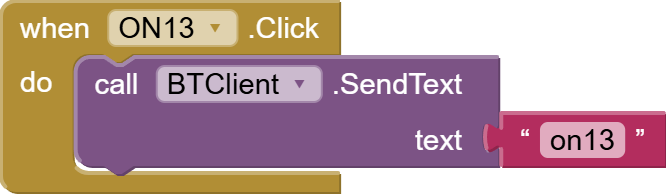
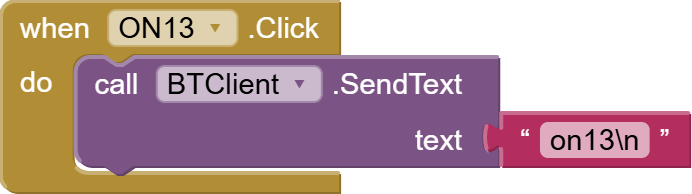
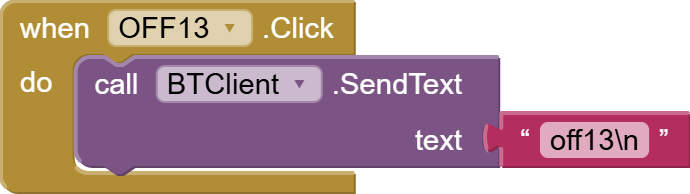
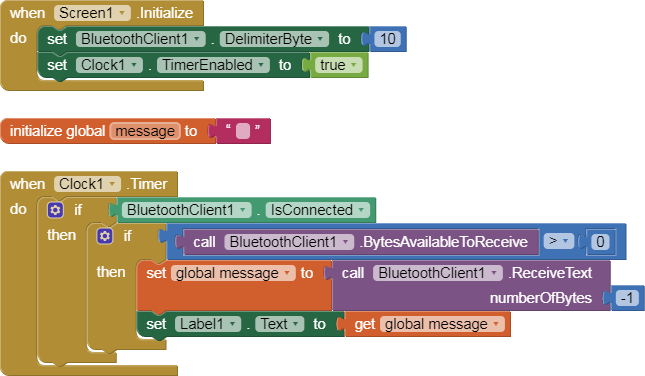
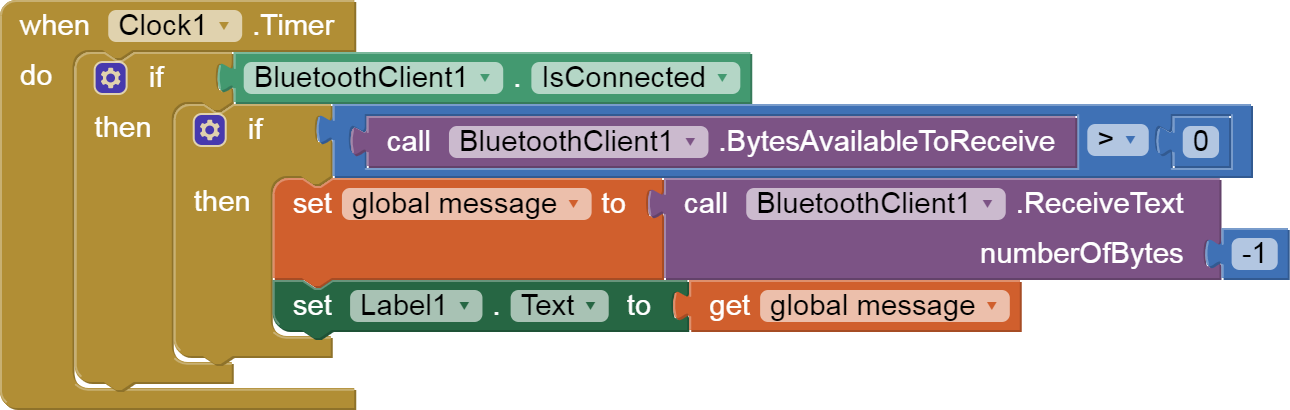
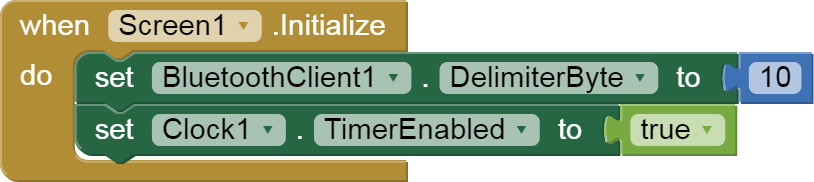
I’m trying to make a simple app that connects my phone to an HC-06 bluetooth module that is connected to an arduino uno. The app needs to be able to send “on13” and “off13” to my arduino, which then turns on/off the builtin LED.
The arduino code and circuit seems correct because this works with the standard Serial Bluetooth Terminal app.
The steps I go through:
I pair my phone with the HC-06 module before I open the app (The red light on the HC-06 module stops blinking and turns permanently red)
Then I open my own app to try to connect to the HC-06 module. The HC-06 module is visible in the list of connect devices, but when I click on the HC-module. I get the error message “Error 507: Unable to connect. Is device turned on?”.
Notes:
The location permission and devices in neighbourhood are both turned on.
I’m using an OnePlus 15R with 16OxygenOS.
I’ve also used other smartphones, but the errormessage stays the same.
I closed the Serial Bluetooth Terminal app while using my own app.
  if (BT.available())
  // if text arrived in from BT serial...
  {
    a=(BT.readStringUntil("\n"));
    a.trim();
    if (a=="on13")
    {
      digitalWrite(13, HIGH);
      BT.println("LED on");
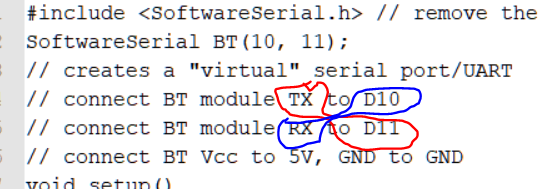
You need to cross the wires.
Please also be aware that the HC06 pins shall be connected by crossing the pins (again). Therefore the Tx pin of the HC06 shall be connected to the Rx pin of the Arduino board and the Rx pin of the HC06 shall be connected to the Tx pin of the Arduino board.
Then you also have to follow what @ABG has already said
Another hint is: to be sure that a connection works between the Arduino board and a (whatever) phone, before getting crazy, you can try by installing the SerialBluetootTerminal app, free on Playstore, and use it to verify the correctness of Arduino side. Then, when you are done with that half of the system, you can focus on the app you're developing. One step at a time.
I cannot test the error/solution of not sending an “\n” because I’m not able to connect my phone to the HC-06 module using my own app that I created with MIT App Inventor.
I don’t need to receive data from the HC-06 module, I only want to sent data from my phone to the HC-06 module.
I don’t think there is an issue with the RX and TX connection because the arduino code works when I pair my phone to the HC-06 module and send the right commands through the Serial Bluetooth Terminal app.
Dear @Jan_Persan, if the SBT works, that means that your comments are related to the HC06 and not to the Arduino board !
So when your comment says "// connect BT module Tx to D10" this means that the HC06 Tx pin shall be connected to D10 (i.e. the Rx pin of the SoftwareSerial library) of the Arduino board ? If this assumption is correct, therefore I can understand why you say that with SBT works, because you're effectively connecting theTx pin of the HC06 to the Rx pin of Arduino (as expected).
Having clarified that, the app's issue still remains.
When the BT communication does not work at all, a typical issue is with permissions. On your phone you must enable both BT communication and Position (don't ask my why also Position, but Google wants that). My hint is : uninstall completely your app from the phone. Then enable both permissions (BT and Position) at system level. Finally re-install the app from scratch. At the first start it should ask for permissions : allow them and see what happens.
Let us know any result
EDIT:
You say: I don’t need to receive data from the HC-06 module, I only want to sent data from my phone to the HC-06 module.
This is not pretty true: in your Arduino code you send at list twice to the phone:
At the beginning, in the Setup() function you send: BT.println("Hello from Arduino");
Then
when you receive a good command you echo it to the phone: BT.println("LED on"); or BT.println("LED off");
Now, to debug the transmission from phone to Arduino I suggest to simplify the code in the following way:
void loop()
{
Char b; // single char from BT
if (BT.available()) // one character available on BT line
{
while (BT.available()) // loops by reading any character until a character is available in the input buffer
{
b = BT.read(); // fetch the character
Serial.print(b); // echoes it on the serial monitor (if the char is a \n a line feed is produced)
}
}
}
With this code any character received from the phone is simply displayed on the Serial Monitor. So you can see any string (intended as a sequence of characters) sent by the phone and if a \n is effectively transmitted, it will generate a linefeed on the Serial Monitor.
I’ve tried to install my app on my phone by downloading the APK file to my phone. The app asks for permissions, but I still get the same 507-error.
This errors occurs even before sending or receiving text to the HC-06 module. The final goal of my app is to control a little arduino-robot with my phone, so receiving data from the HC-06 module isn’t really necessary.
If I'm not wrong the permission needed are: bluetooth scan, bluetooth connect ( and location on old android devices like mine ).
These should be requested in sequence ( request the first and only after granted event continue with the next one )