I am getting set of data from 8 different list pickers, which I want to save to csv file. I am trying to use lists but it doesnot accept listpicker.text as input
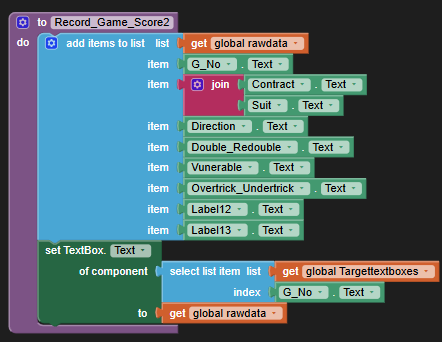
Show us global list of textboxes
Also show us the list picker After Selection event blocks
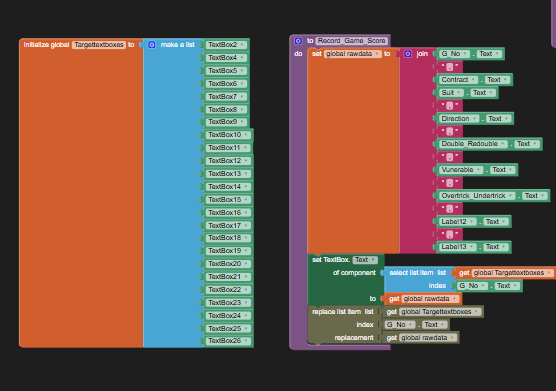
(Canned Reply: ABG- Export & Upload .aia)
Export your .aia file and upload it here.
.
csv issue.aia (195.8 KB)
I am away from my pc so I can not code for a few hours.
Look in the list blocks pallet for the List to CSV Table conversion block.
Also look in the Designer for the Sharing component,, to launch the CSV text out into the phone operating system.
Where are the List Pickers you mentioned?
(I am supposed to be asleep)
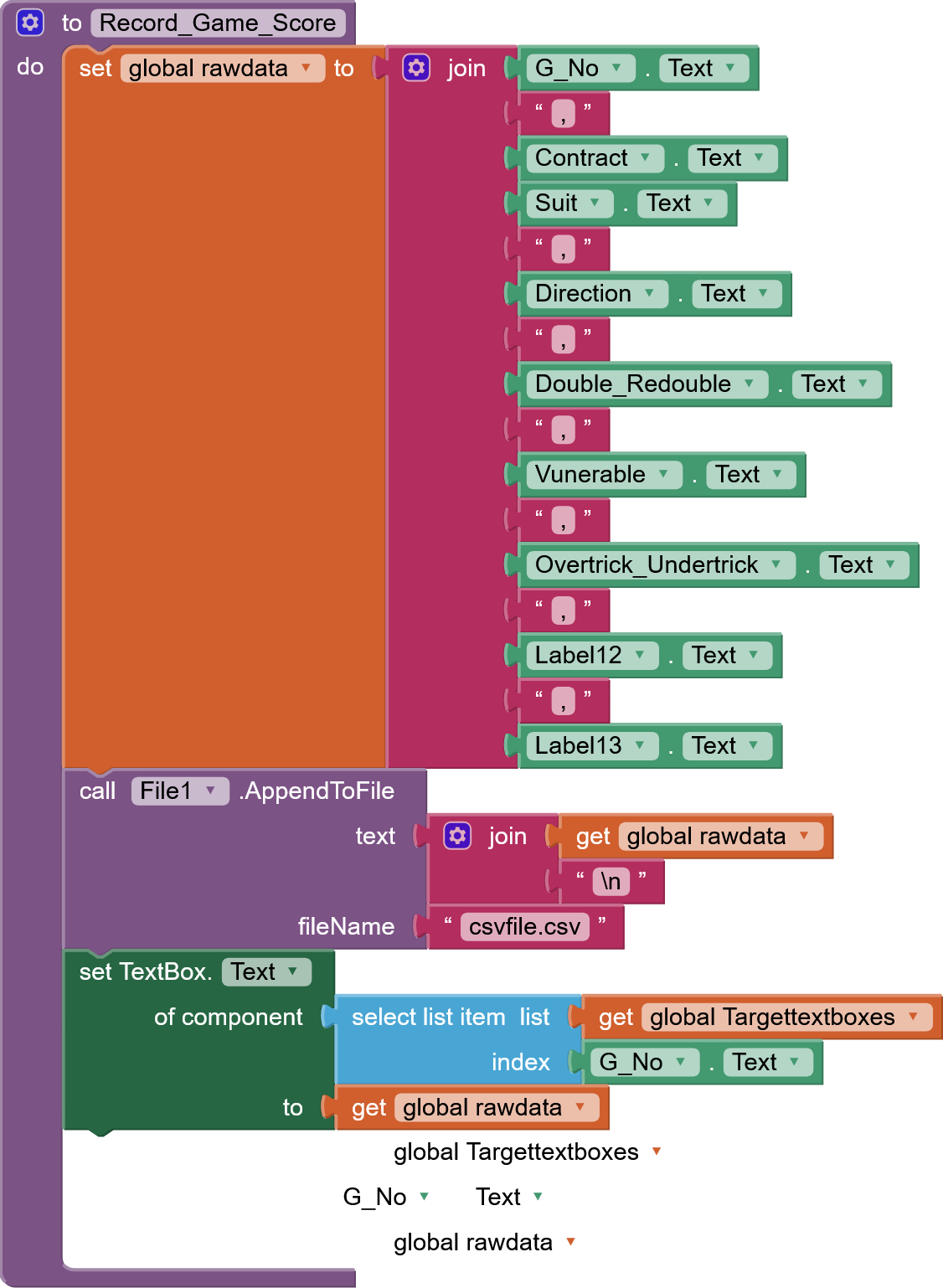
Trouble is data as shown in text boxes is not saved in csv file
What do you mean?
This is the csv file generated after clicking every listpicker ( a line is added only after clicking on Overtrick )
1,,,,,1,0,0
1,,,,,-1,50,0
1,,,,,2,0,0
1,,,,,-2,100,0
1,1C,W,,,0,70,0
1,1C,W,,,1,90,0
1,1C,W,,,-1,0,50
1,1C,W,X,Y,-2,0,500
1,1C,W,X,Y,3,1190,0
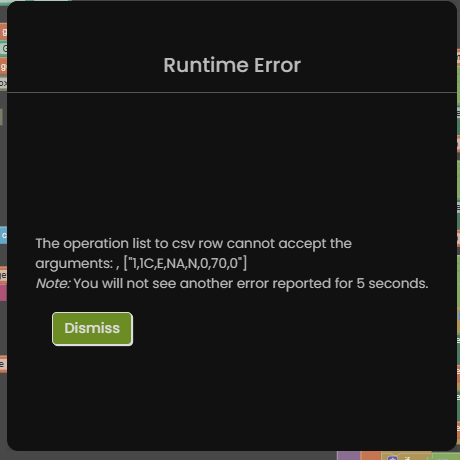
Where is the "list to csv" block ( it is not in the aia you posted )?
Also you already created a csv row by joining strings, so non need to use a list to csv block
I got to read the blocks, with some viewability tweaks.
This looks fishy
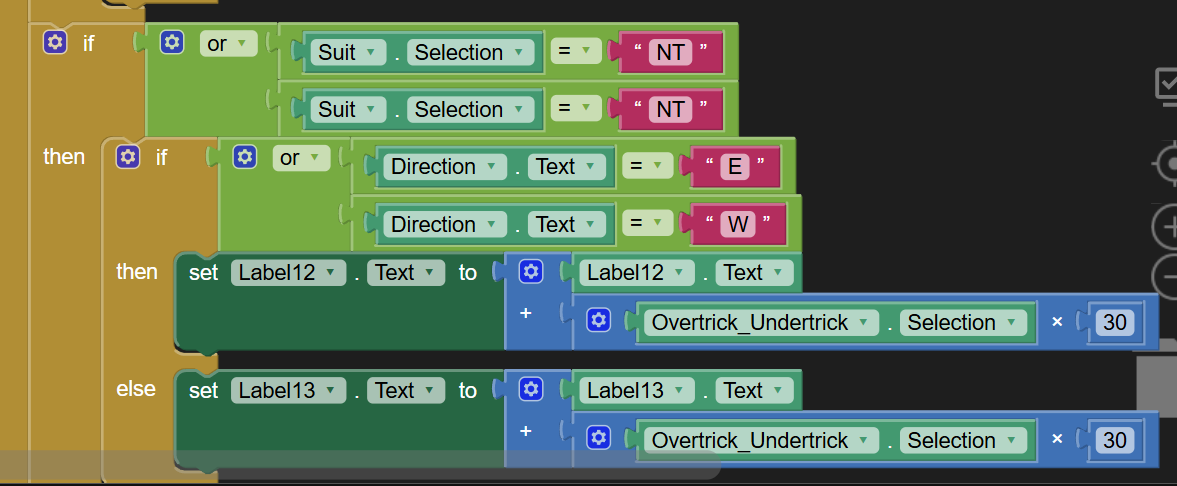
in
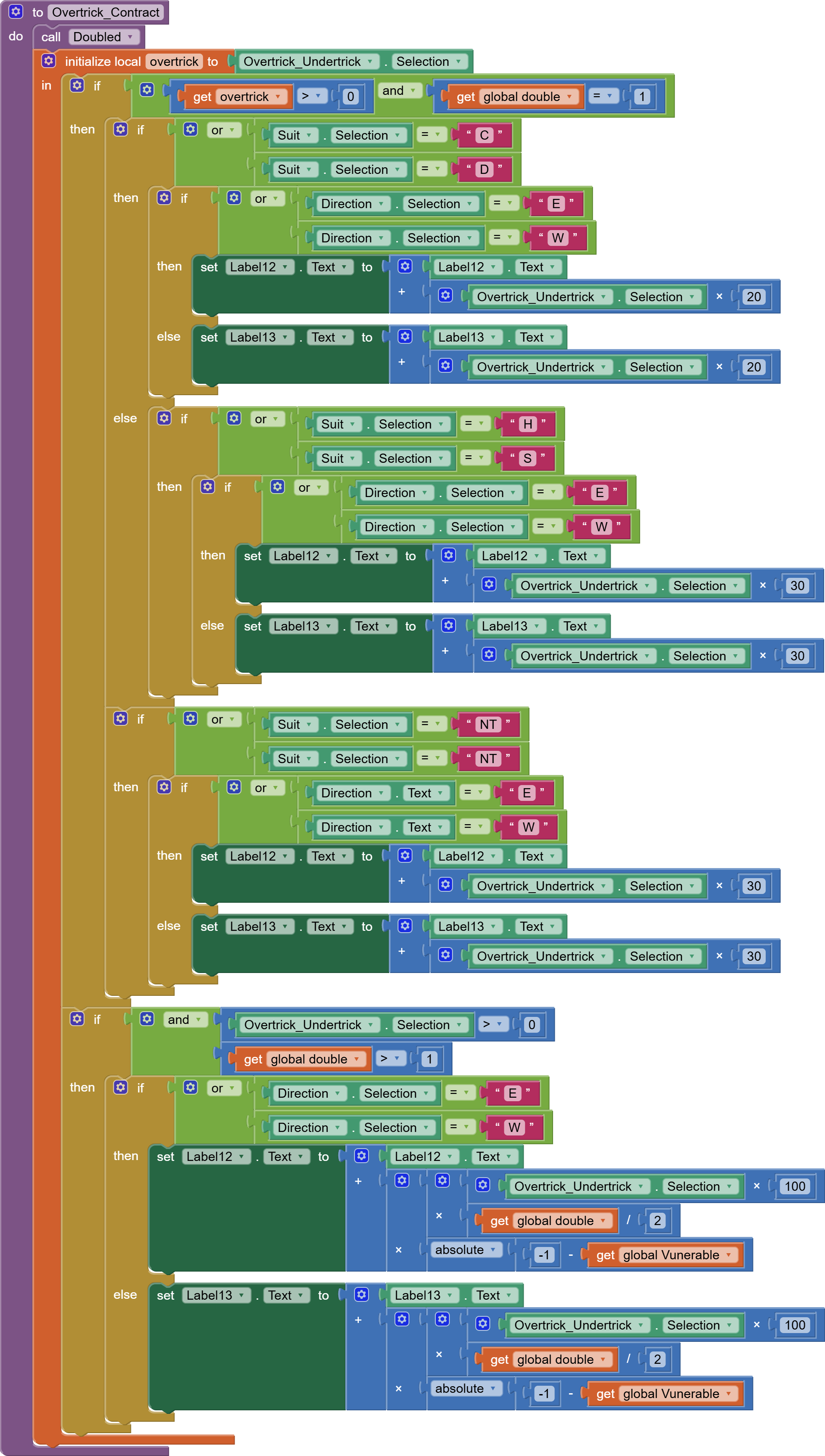
x or x always equals x.
In addition, I see you are triggering output in one of the After Selection events.
It would be more robust to trigger output in a Button, in case not all the List Pickers have been triggered yet.
Further notes:
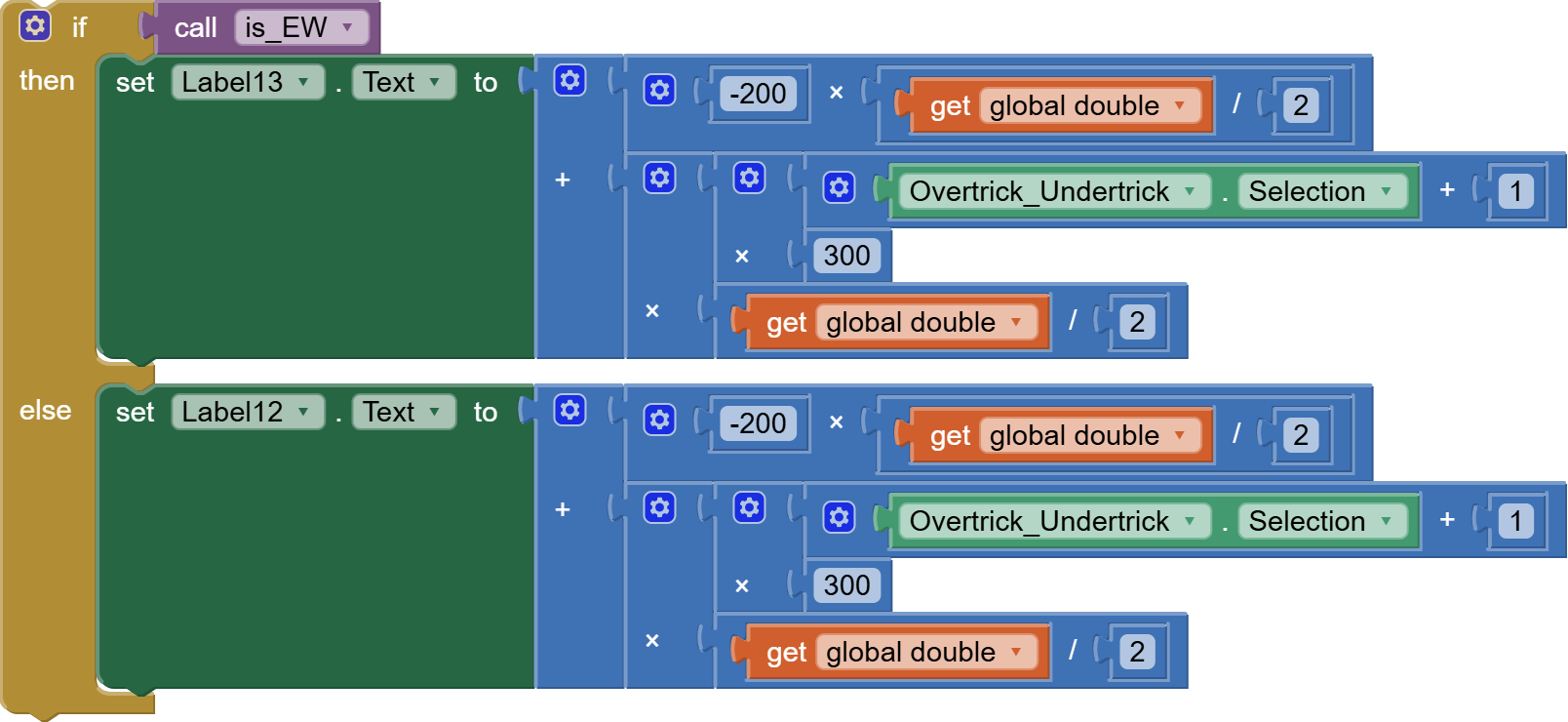
This common code appears frequently, and could be encapsulated in a value procedure:
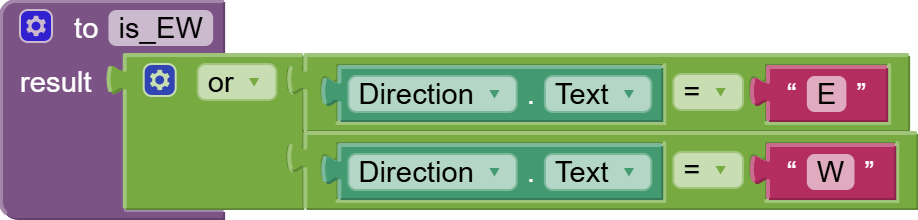
(draggable)
Sample call:
Regarding CSV files:
CSV table files must separated line by line with \n characters.
In a row, non-numeric cells should be wrapped in quotes (").
Finally, regarding spreadsheets, AI2 supports Google Sheets. an online spreadsheet, and there are SQL extensions available elsewhere.