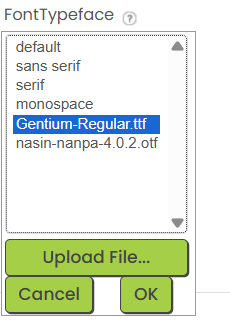
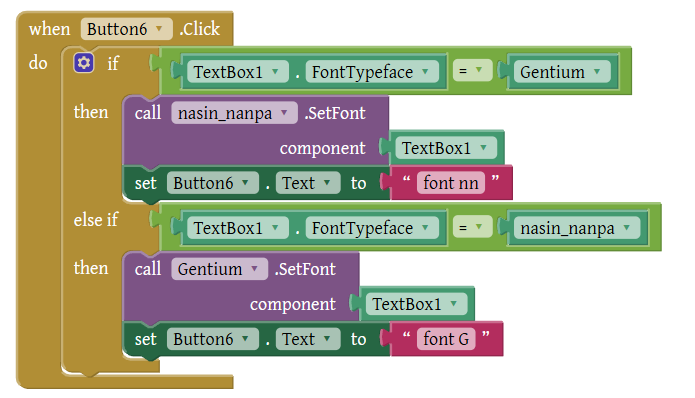
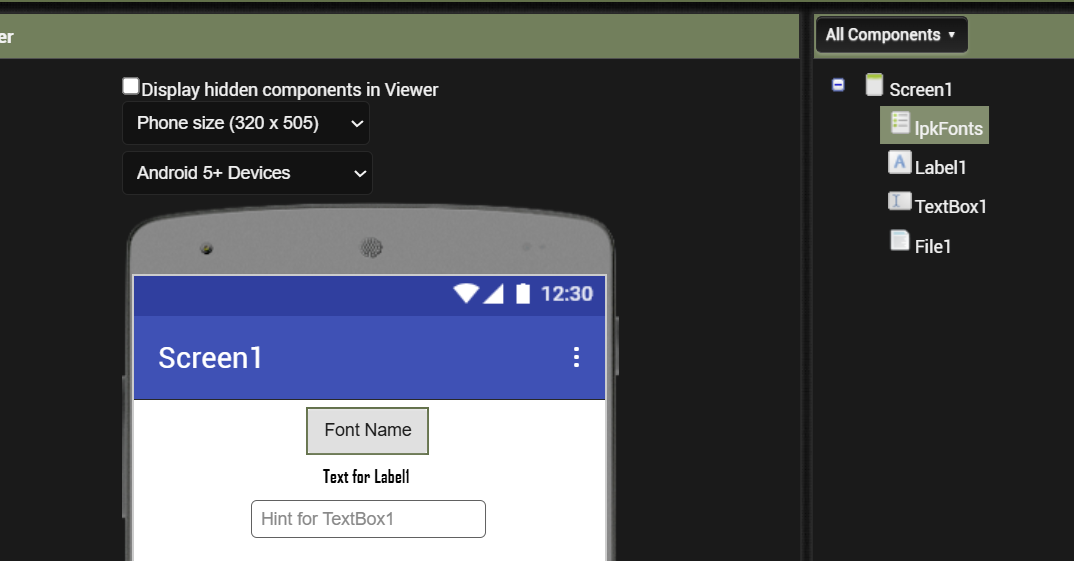
Helloo, I want a toggle button swap the font typeface of a text box. I have uploaded the two fonts into my project, and now I am struggling to change the font in the blocks tab.
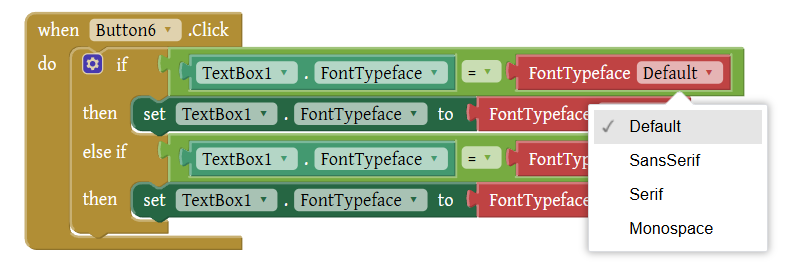
I can use the designer > appearance tab and select one of my fonts, but when it comes to changing the font within the app, I can only choose between Default, SansSerif, Serif and Monospace.
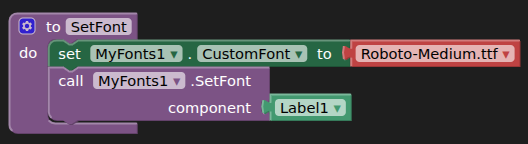
Attached are some photos to make it clearer what I’m saying. And I have tried using the YourFont extension but either I don’t know how to use it or it won’t work.
^You can see that the custom fonts I’ve uploaded don’t appear here as one of the options. Only the default 4 do. What I’m doing here is basically: “if it is font A, then change to font B” and vice versa.
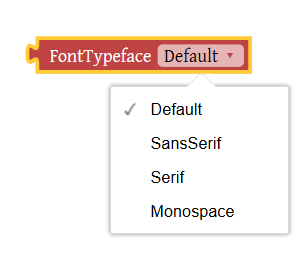
I switched to the Classic UI if that’s what you meant but it is still the same. I think this is more of a problem in the blocks tab. I simply don’t have the option to select any custom fonts when I select the FontTypeface block:
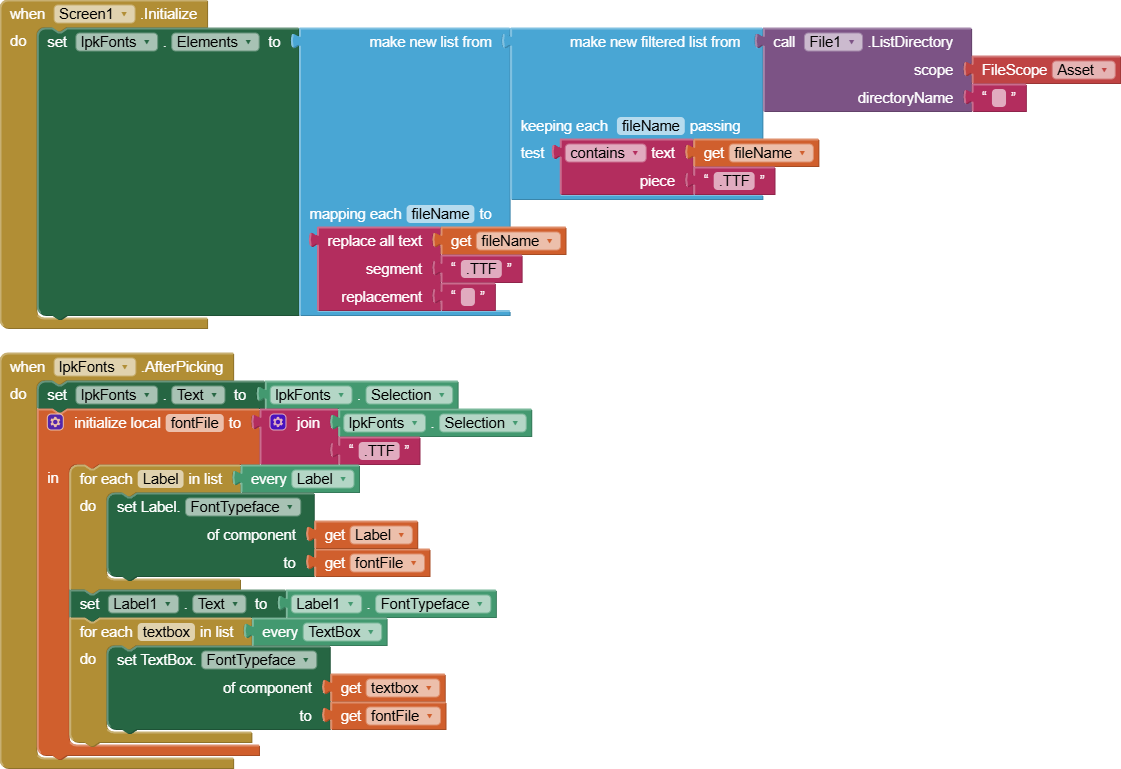
This is my final code. @TIMAI2 made me realize there is a file block (or whatever its called) that I’m supposed to use for situations like this. I didn’t even need the extension.
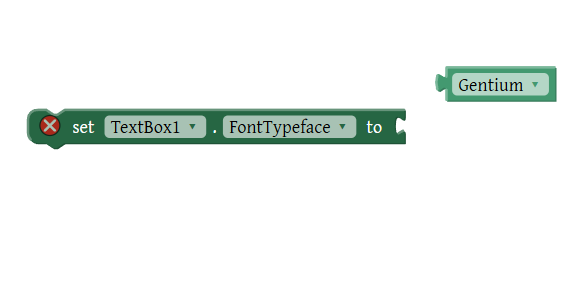
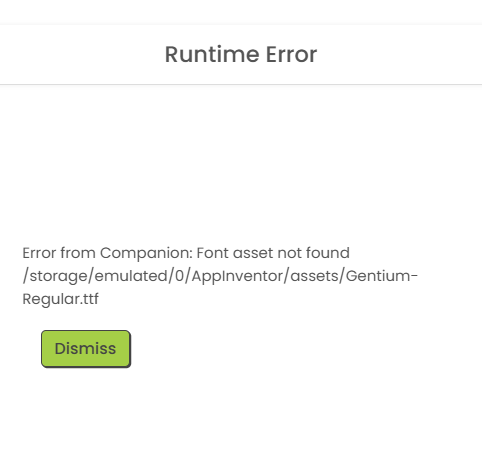
Going back to this error message, ^^^ simply removing the extension fixed it (it got me confused for a while if it was coming from the extension or App Inventor).
So the problem really was just my unfamiliarity with how the blocks work that kept me from solving the problem on my own. Today I learned that “file block” exists. Thanks for your help everyone!
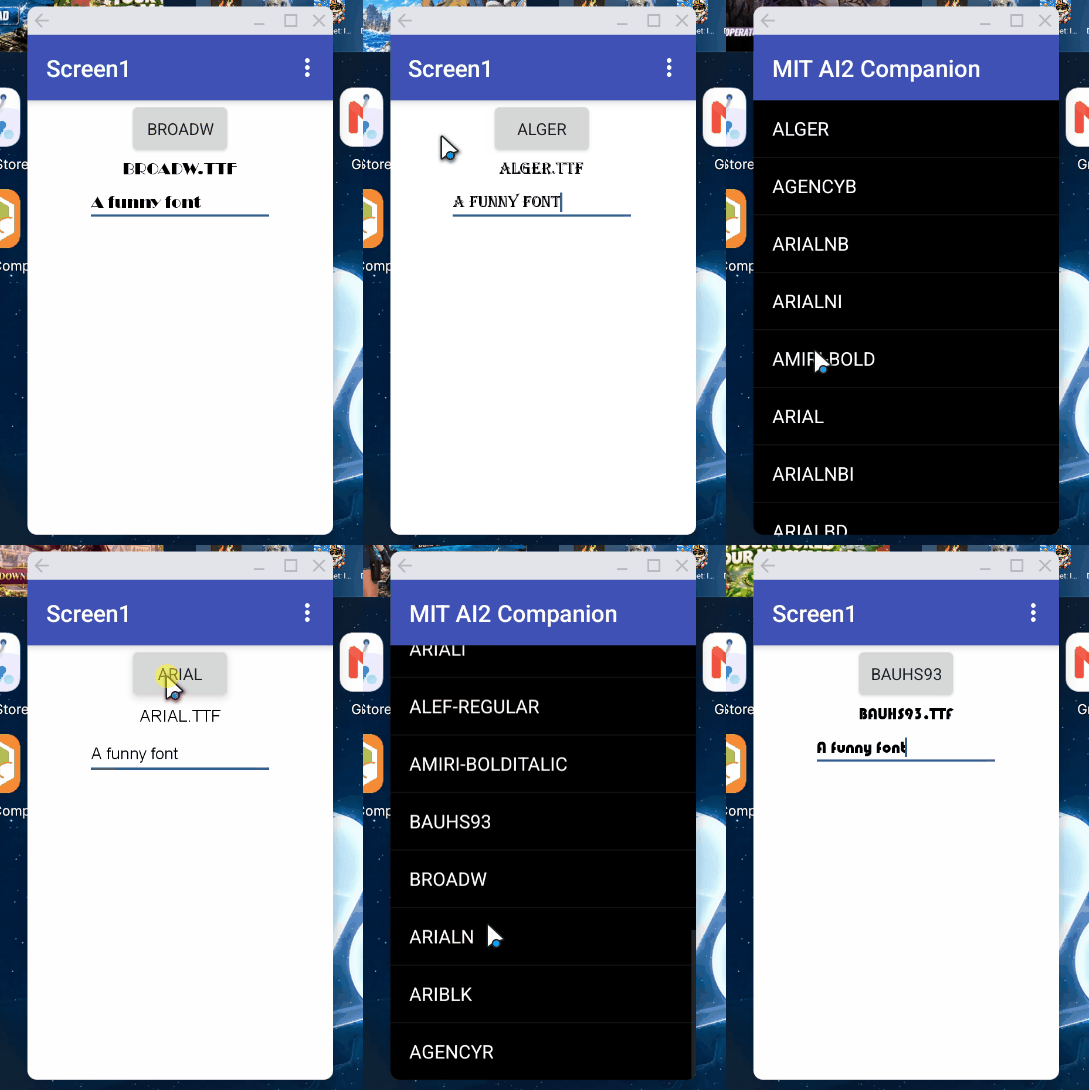
P.S. I dragged a bunch of font files from my Windows 11 Windows\fonts directory for this sample. Your font files might not be as easy to filter, because these file names are all upper case.